FPV (First Person View) cameras are the eyes of drones and remote-controlled vehicles. They let pilots see from the craft’s perspective, making flying more immersive and accurate. But for beginners and even experienced pilots, one question comes up often: What resolution do FPV cameras have? Resolution affects how clear, detailed, and usable your video feed is. If you pick the wrong camera, your flight experience can suffer—especially in fast racing or precise aerial filming.
Let’s explore FPV camera resolutions, from basic numbers to real-world effects. You’ll learn how to choose the best resolution for your needs, see clear comparisons, and understand what matters beyond pixels. Whether you’re building your first drone or upgrading your FPV rig, this guide will help you make confident, informed decisions.
What Is Fpv Camera Resolution?
The resolution of an FPV camera is the number of pixels in the video image. More pixels mean clearer details. Resolution is usually written as width × height, like 800×600 or 1920×1080. Some people also call it “TVL” (TV lines), especially for analog cameras.
Why Resolution Matters For Fpv
Higher resolution gives you a sharper picture. This makes it easier to spot obstacles, judge distances, and react quickly. For racing, low resolution can make gates or flags blurry. For freestyle flying or aerial photography, it can hide details in the landscape.
But resolution isn’t the only factor. Frame rate, latency, field of view, and light sensitivity also affect your experience. Sometimes, a lower resolution camera with fast response and good colors is better than a slow, high-res one.
Common Fpv Camera Resolutions
FPV cameras come in many resolutions. The most common are grouped into analog and digital systems.
Analog Fpv Camera Resolutions
Analog cameras have been popular for years. They send video signals through radio waves, usually to goggles or monitors. Their resolution is often measured in TVL.
- 600 TVL: Basic analog cameras. These are cheap and lightweight. The image is grainy, but good enough for casual flying.
- 800 TVL: More detail. Many racing drones use these cameras. The picture is clearer, but still not HD.
- 1000 TVL: High-end analog. Still limited by the analog system, but the sharpest analog image available.
Typical Analog Resolutions In Pixels
Analog systems don’t send true digital pixels, but here’s how TVL translates roughly:
| TVL | Approx. Pixel Resolution | Use Case |
|---|---|---|
| 600 TVL | 640×480 | Beginner, casual flight |
| 800 TVL | 800×600 | Racing, intermediate |
| 1000 TVL | 1000×800 | Freestyle, advanced |
Digital Fpv Camera Resolutions
Digital cameras send video as data, not analog signals. The image is much clearer and supports true HD.
- 720p (1280×720): Entry-level digital. Good clarity, low latency. Used in budget digital systems.
- 1080p (1920×1080): Full HD. Sharp images, better for spotting details. Common in mid-range digital FPV setups.
- 1440p (2560×1440): Quad HD. High resolution for advanced pilots. Useful for professional filming.
- 4K (3840×2160): Ultra HD. Not common for live FPV, but some cameras can record in 4K for playback.
Digital Camera Resolution Comparison
Let’s compare popular digital FPV camera resolutions:
| Resolution | Pixels | Image Quality | Latency |
|---|---|---|---|
| 720p | 1280×720 | Good | Low |
| 1080p | 1920×1080 | Very Good | Medium |
| 1440p | 2560×1440 | Excellent | Higher |
| 4K | 3840×2160 | Outstanding | Highest |
How Resolution Affects Flight Experience
Clarity And Detail
Higher resolution means more detail. You can see branches, wires, and small obstacles. This is vital for low-level flying and racing. With low resolution, objects can blur together, making crashes more likely.
Latency
Higher resolution can lead to higher latency. Latency is the delay between what the camera sees and what you see in your goggles. For racing, low latency is crucial. Even a small lag can make you miss turns. Some high-res digital systems now manage latency well, but analog is still faster.
Field Of View
Resolution isn’t the same as field of view (FOV). A wide FOV lets you see more around you, but if the resolution is low, the image can look stretched and blurry. A narrow FOV with high resolution shows less area, but in sharper detail.
Light Sensitivity
High resolution can sometimes mean smaller pixels, which may struggle in low light. If you fly at dusk or indoors, check that your camera handles shadows and bright spots well.
Choosing The Right Fpv Camera Resolution
Picking the right resolution is not just about getting the highest number. You need to match the camera to your flying style, budget, and system.
For Racing
Most racers prefer analog cameras with 800–1000 TVL. The image is fast, and the latency is very low. Digital systems are improving, but some racers still trust analog for its reliability.
For Freestyle And Cinematic Flying
Freestyle pilots often use digital cameras with at least 1080p. The sharp image helps with tricks and finding gaps. Cinematic pilots want even higher resolution, often using cameras that can record in 4K for later editing.
For Beginners
If you’re just starting, a 600 TVL analog camera or a 720p digital camera is enough. Focus more on learning to fly than on the sharpest image.
For Professional Filming
Professional drone pilots may use cameras that record in 4K or higher. These are not used for live FPV, but for capturing footage for editing. For live FPV, 1080p or 1440p is usually enough.

Fpv Camera Resolution Vs Other Specs
Resolution is just one piece. Here are other important camera specs:
- Frame Rate: Most FPV cameras run at 30, 60, or 120 frames per second (fps). Higher frame rate makes movement look smoother.
- Latency: Analog cameras usually have less than 10ms latency. Digital cameras can range from 20ms to 100ms, depending on quality.
- Sensor Size: Larger sensors capture more light, improving image quality, especially in low light.
- Lens Quality: A good lens sharpens the image and reduces distortion.
- Image Processing: Some cameras add features like wide dynamic range (WDR) or noise reduction.
Example: Racing Vs Freestyle Camera Specs
| Type | Resolution | Frame Rate | Latency | Sensor |
|---|---|---|---|---|
| Racing | 800 TVL | 60 fps | 5 ms | 1/3″ |
| Freestyle | 1080p | 60 fps | 30 ms | 1/2″ |
Real-world Fpv Camera Examples
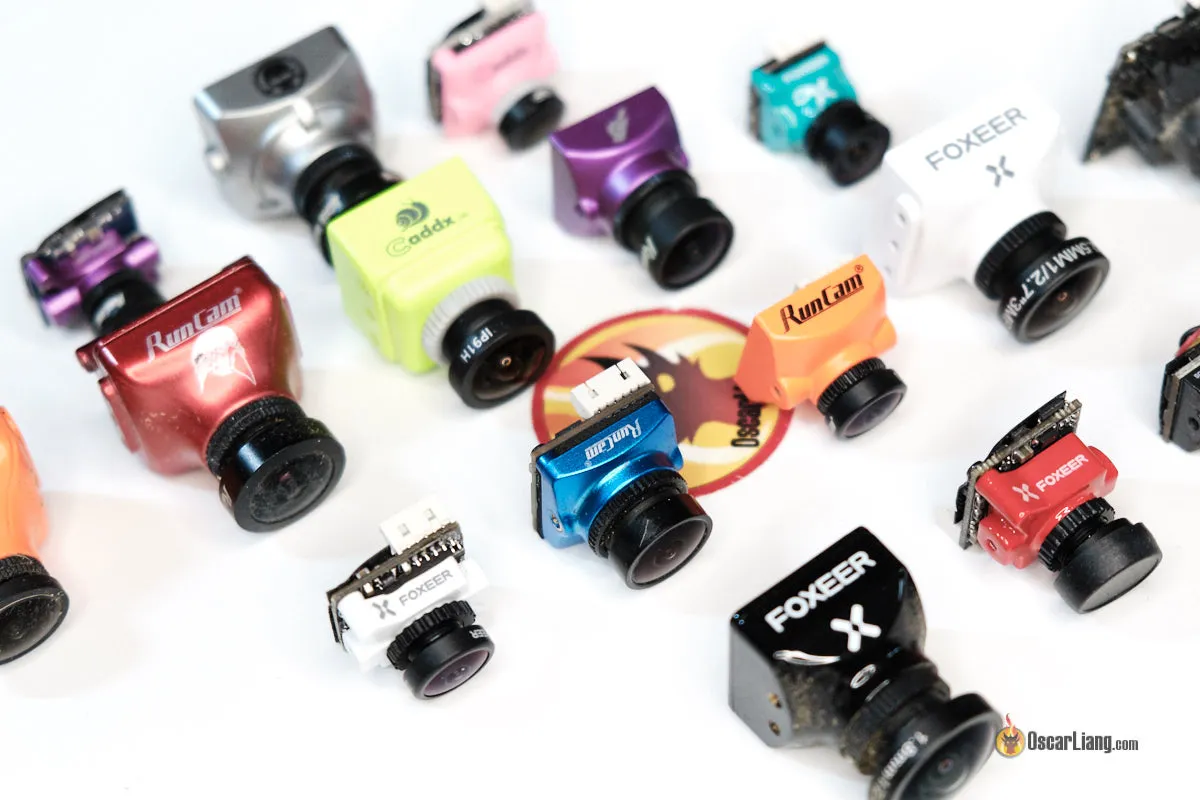
Let’s look at some popular FPV cameras and their resolution specs:
Analog Cameras
- RunCam Swift 2: 600 TVL, 1/3″ sensor, fast response, good for beginners.
- Foxeer Predator V5: 1000 TVL, 4ms latency, wide dynamic range, popular for racing.
Digital Cameras
- DJI FPV Camera: 720p live feed, records at 1080p, low latency for digital.
- Caddx Vista Nebula Pro: 1080p live feed, 120 fps, used in high-end digital systems.
- GoPro HERO 10: Records at 5K, used for cinematic shots, but not for live FPV feed.

How To Test And Compare Fpv Camera Resolution
You can test FPV camera resolution in a few ways:
- Compare Live Feeds: Set up two cameras side by side. Look for detail in grass, leaves, or text on signs.
- Record and Playback: Record short flights. Watch the footage and compare sharpness, colors, and detail.
- Check Latency: Move an object and count the delay before it shows in your goggles.
- Fly in Different Light: Test at noon, dusk, and indoors. See how resolution affects clarity in shadows and bright spots.
Non-obvious Insight: Resolution Is Limited By Transmission
Even if your camera records in high resolution, your video transmitter (VTX) may not send all those pixels. Analog VTXs cap the image quality. Digital VTXs support HD, but only if the system can handle it. Always match your camera to your VTX and goggles.
Non-obvious Insight: Higher Resolution Means More Power
High-resolution cameras and digital systems use more power. If your drone’s battery is small, you may get shorter flight times. Plan your power supply for the camera and video transmitter.
How Resolution Impacts Fpv Goggles And Displays
FPV goggles and monitors have their own resolution. If your camera sends 1080p but your goggles display only 720p, you won’t see the full detail. Some high-end goggles support 1080p or even higher, but most analog goggles display 800×600 or similar.
Matching Camera To Display
- Analog Goggles: Match with 600–1000 TVL cameras.
- Digital Goggles: Match with 720p–1080p cameras.
- External Monitors: Some monitors display full HD, useful for editing or watching recorded flights.
Resolution Trends And Innovations In Fpv Cameras
FPV camera technology is moving fast. Here are some new trends:
- HD Analog: Some companies are working on HD analog transmission, trying to combine speed with clarity.
- Micro HD Cameras: Tiny cameras now offer 1080p or more, fitting in small drones.
- Dual-Mode Cameras: Some cameras switch between analog and digital, letting you use both systems.
- Remote Adjustable Settings: Pilots can change resolution, frame rate, or colors from their transmitter during flight.
Example: Dji Digital Fpv System
The DJI FPV system changed the market by offering true HD digital transmission with low latency. Their camera sends 720p live feed, with recording up to 1080p. Latency is around 28ms—almost as fast as analog. Many pilots now use this system for both racing and freestyle.
Mistakes To Avoid When Choosing Fpv Camera Resolution
- Ignoring Latency: High resolution with high latency can ruin racing or fast freestyle.
- Mismatch with Display: If your goggles can’t show full HD, extra pixels are wasted.
- Overlooking Power Use: High-res cameras need more power. Check your drone’s battery specs.
- Not Considering Transmission Limits: Analog systems can’t send true HD, no matter how good your camera is.
- Buying for Recording, Not Live Feed: Some cameras record in 4K but send only 720p for live FPV. Know the difference.
How To Upgrade Your Fpv Camera Resolution
If you want a sharper image:
- Check Your System: Is your transmitter and goggles digital-ready? If not, upgrading just the camera won’t help.
- Pick the Right Camera: Look for a camera with your desired resolution, frame rate, and latency.
- Test Before Finalizing: Borrow or test different cameras and see which fits your flying style.
- Update Other Parts: You may need to upgrade your VTX, goggles, or battery.
Practical Tip: Start Small, Upgrade As Needed
Many pilots start with basic analog cameras. As they gain skill, they switch to digital and higher resolution. This saves money and helps you learn to fly before spending big on gear.
Fpv Camera Resolution For Different Drone Types
Different drones need different camera resolutions:
- Tiny Whoops: Small drones, often indoors. Use 600–800 TVL analog or 720p digital.
- Racing Drones: Fast, agile. Prefer 800–1000 TVL analog, or 720p digital with low latency.
- Freestyle Drones: Want sharp images. Use 1080p digital.
- Cinematic Drones: For filming. Use cameras that record in 4K+, with live feed at 1080p or higher.
Real Stats: Fpv Camera Usage In 2024
Recent surveys show:
- 60% of FPV pilots use analog cameras, mainly for racing.
- 35% use digital systems, often for freestyle or filming.
- 5% use hybrid systems, switching between analog and digital.
- Most digital pilots use 720p or 1080p, while cinematic drones record in 4K for editing.
External Resource For Deeper Learning
If you want to see detailed FPV camera specs and comparisons, visit Wikipedia: FPV (radio control). You’ll find technical details and history of FPV systems.
Frequently Asked Questions
What Is The Best Resolution For Fpv Racing?
For racing, 800–1000 TVL analog cameras are preferred. They offer a fast image with low latency. Some digital racers use 720p cameras if latency is low enough. Always match your camera to your transmitter and goggles.
Does Higher Resolution Mean Better Fpv Experience?
Not always. Higher resolution gives clearer images, but can increase latency and power use. For racing, low latency is more important. For freestyle or filming, higher resolution improves detail and color.
Can I Use A 4k Camera For Live Fpv?
Most 4K cameras record high-quality video for editing, but live FPV feed is usually limited to 720p or 1080p. Transmission systems can’t send 4K live without high latency and power drain.
How Do I Know If My Fpv Goggles Support Hd Resolution?
Check your goggle specs. Most analog goggles display 800×600 or similar. Digital goggles may support 720p or 1080p. If your camera sends higher resolution than your goggles can show, you won’t see the full detail.
What Happens If My Camera Resolution Is Higher Than My Transmitter Supports?
Your transmitter limits the signal. If your camera is 1080p but your analog transmitter can only send 800 TVL, your image will be capped. Always match your camera, transmitter, and display for best results.
FPV camera resolution shapes how you see and control your drone. It affects clarity, reaction time, and even safety. Now you know what resolution FPV cameras have, how to choose the right one, and what mistakes to avoid. With these insights, you can build or upgrade your FPV system for the best flight experience—whether you’re racing, exploring, or filming stunning aerial shots.