Flying drones with FPV cameras is exciting. You see what the drone sees, almost as if you’re inside the cockpit. Most people use FPV goggles for this, but not everyone likes wearing them. Some find goggles uncomfortable, expensive, or hard to use. So, is it possible to use an FPV camera without goggles? The answer is yes, and there are several ways to do it. This article explains your options, how they work, and the pros and cons. If you’re thinking about FPV flying without goggles, you’ll find practical tips and non-obvious advice to help you decide.
What Is An Fpv Camera And How Does It Work?
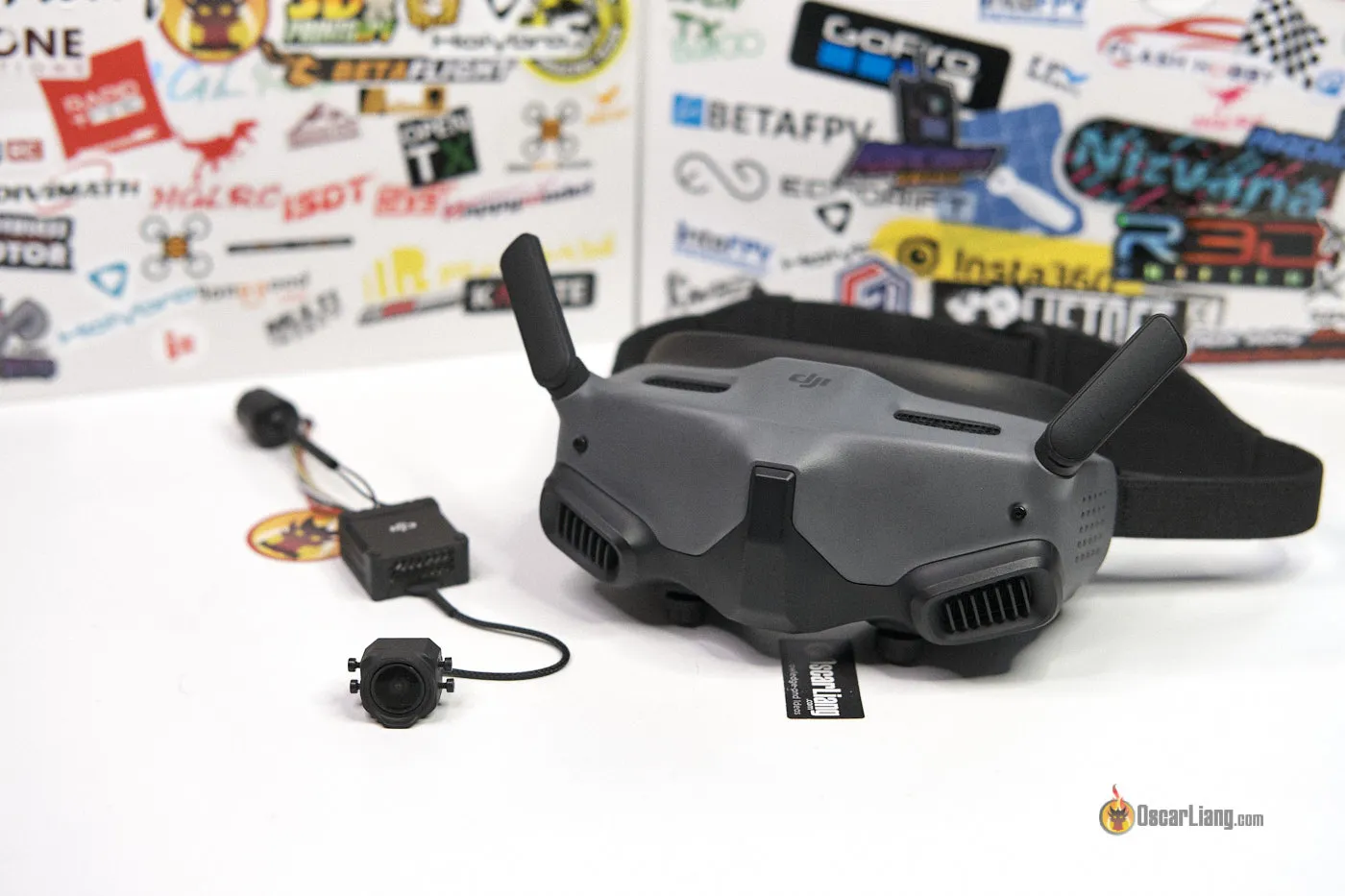
An FPV camera (First Person View camera) is a small camera mounted on a drone, RC car, or other remote-controlled device. It sends live video to the pilot, letting you see from the vehicle’s point of view. Most FPV cameras use analog or digital video transmission.
- Analog FPV cameras send video over radio frequencies (like 5.8 GHz). The image is fast but sometimes blurry.
- Digital FPV cameras (like DJI’s FPV system) send clearer images, often with less interference.
The camera connects to a video transmitter (VTX), which broadcasts the signal. The pilot receives this video on a display—usually FPV goggles, but not always.
Why Do Most People Use Fpv Goggles?
FPV goggles are popular for several reasons:
- Immersive experience: Goggles block out everything except the drone’s view, making you feel as if you’re flying.
- Focus and clarity: No distractions from the outside world; the screen is close to your eyes.
- Reduced lag: Analog goggles can show almost instant video, which is important for fast drone racing.
- Portability: Goggles are lightweight and easy to carry.
But goggles have drawbacks too. Some users get motion sickness, find them uncomfortable, or struggle with glasses. Good goggles can cost $300 or more.

Fpv Without Goggles: Is It Possible?
Absolutely. You can use an FPV camera without goggles. The video signal can go to different types of screens. Here are the main alternatives:
- FPV monitor
- Smartphone or tablet
- Laptop or computer
- TV or projector
Let’s look at each option in detail.
Using An Fpv Monitor
An FPV monitor is a small screen, usually 5–7 inches. It mounts on your drone controller or tripod. Monitors are popular for casual flying, aerial photography, or when sharing the FPV view with others.
How Fpv Monitors Work
Most FPV monitors have a built-in video receiver for analog signals. For digital FPV (like DJI), you need a compatible monitor or adapter. You connect the monitor to the receiver; it shows live video, just like goggles.
Advantages Of Fpv Monitors
- Easy to use: No need to wear anything on your face.
- Shareable: Friends can watch the screen.
- Comfortable: No pressure on your head or eyes.
- Cheaper than goggles: Simple monitors can cost $60–$150.
Limitations
- Sun glare: Screens can be hard to see outdoors.
- Less immersive: You see both the drone view and your surroundings.
- Lag: Some monitors add delay, especially with digital video.
- Portability: Monitors need stands or mounts.
Fpv Monitor Vs. Goggles
Here’s a comparison of features:
| Feature | FPV Monitor | FPV Goggles |
|---|---|---|
| Immersion | Low–Medium | High |
| Comfort | High | Varies |
| Visibility Outdoors | Poor–Average | Excellent |
| Price | $60–$150 | $200–$600 |
| Lag | Medium | Low |
Using A Smartphone Or Tablet
Some FPV systems allow you to connect the FPV camera feed to a phone or tablet. This works best with digital FPV systems (like DJI or Fat Shark Shark Byte).
How It Works
- Digital FPV: Some drones send video to an app on your phone/tablet via Wi-Fi or USB.
- Analog FPV: You need a receiver with USB output and a special app.
Pros
- Convenience: You already own the device.
- Large screen: Tablets offer bigger views.
- Easy recording: Apps can save video.
Cons
- Lag: Wireless video often has delay (200–500ms).
- App compatibility: Not all apps support FPV feeds.
- Battery drain: Streaming video uses power fast.
Example: Dji Fpv And Smartphones
DJI FPV drones let you connect your phone to the controller. The app shows live video. But for racing or fast moves, lag can be a problem. For slow flights, it works well.
Using A Laptop Or Computer
Some pilots display FPV video on a computer screen. This is common for testing, simulator practice, or group events.
How It Works
- Analog FPV: Use a USB video receiver (like EasyCAP) to get the signal.
- Digital FPV: Connect via HDMI, USB, or Wi-Fi.
Benefits
- Large screen: Great for demonstrations.
- Recording and playback: Easy to save footage.
- Multiple viewers: Good for training.
Drawbacks
- Setup complexity: Needs adapters and cables.
- Not portable: Laptops are less practical outdoors.
- Lag: Can be worse than monitors or goggles.
Watching Fpv On A Tv Or Projector
For events or group flying, some connect FPV feeds to a TV or projector. You can use HDMI, AV, or wireless links.
Pros
- Very large screen: Everyone can see.
- Good for teaching: Instructors can explain what’s happening.
Cons
- Not portable: Needs power and setup.
- Lag and quality: Projectors can add delay and reduce resolution.
- Outdoor visibility: Projectors don’t work well in bright light.
Comparing Fpv Viewing Methods
To help you decide, here’s a comparison of the main FPV viewing options:
| Method | Immersion | Portability | Lag | Cost | Best For |
|---|---|---|---|---|---|
| Goggles | Very High | Excellent | Low | High | Racing, Freestyle |
| Monitor | Medium | Good | Medium | Medium | Casual, Sharing |
| Smartphone/Tablet | Low | Excellent | High | Low | Photography, Slow Flight |
| Laptop/TV | Low | Poor | High | Varies | Events, Teaching |
Practical Steps: Setting Up Fpv Without Goggles
If you want to use an FPV camera without goggles, here’s a step-by-step guide:
- Choose your display: Monitor, phone, tablet, laptop, or TV.
- Get a compatible receiver: For analog FPV, buy a receiver that fits your display (AV, HDMI, USB). For digital, check the drone’s compatibility.
- Connect the receiver: Plug it into your display device.
- Power everything: Monitors and receivers need batteries or power supplies.
- Test the signal: Make sure you see the FPV video clearly.
- Mount or hold the display: Use a tripod or controller mount for monitors; keep phones/tablets secure.
- Check for lag and interference: Test before flying fast or far.
Non-obvious Setup Tips
- Use a sun hood: Outdoor screens need shade for visibility.
- Check antennas: Good antennas reduce interference and improve signal.
- Record your flights: Many monitors and apps let you record for later review.
- Update firmware: Some receivers need updates for compatibility.
Safety And Legal Considerations
Flying FPV without goggles has different risks. You can see your surroundings, which helps safety. But you may lose immersion and miss obstacles. Also, laws about FPV flying vary.
Line Of Sight Rules
In the US, FAA rules require pilots to keep drones “within visual line of sight.” If you use a monitor, you can look up and see the drone. Goggles block your eyes, so you need a “spotter” to help.
Safety Tips
- Don’t rely only on the screen: Look up often.
- Keep your display secure: Don’t drop your phone or monitor while flying.
- Avoid crowds: FPV video can lag; don’t fly near people.
- Check battery levels: Monitors and receivers drain fast.
Who Should Use Fpv Without Goggles?
FPV monitors and screens suit some pilots better than goggles:
- Beginner pilots: Easier to see surroundings, safer learning.
- Aerial photographers: Need to frame shots, often fly slowly.
- People with glasses: Monitors work better than goggles for some.
- Group events: Sharing FPV view with others.
- Those sensitive to motion sickness: Less immersive, less nausea.
Common Mistakes When Flying Fpv Without Goggles
Many beginners make mistakes when switching to monitors or screens:
- Ignoring sun glare: Always use a hood outdoors.
- Choosing low-quality receivers: Cheap gear can ruin your video.
- Flying too far: Monitors may lose signal before goggles do.
- Using the wrong cables: Check compatibility.
- Not checking lag: Delay can cause crashes.
Real-world Example
A pilot at a drone race switched to a monitor for comfort. But the monitor had 300ms lag. The drone crashed because the pilot couldn’t react fast enough. Always check lag before fast flights.
Cost Comparison: Goggles Vs. Monitors And Screens
Let’s look at typical costs for FPV viewing options:
| Device | Average Price | Additional Costs |
|---|---|---|
| FPV Goggles | $200–$600 | Batteries, antennas |
| FPV Monitor | $60–$150 | Mounts, sun hood |
| Smartphone/Tablet | $0 (if owned) | Receiver ($40–$80) |
| Laptop/TV | $0 (if owned) | Receiver/adapters ($30–$100) |
Digital FPV options cost more. Analog monitors and receivers are cheaper but have lower image quality.
Technical Details: Signal Types And Compatibility
Understanding signal types is important for FPV without goggles.
Analog Fpv
- Frequency: Usually 5.8 GHz.
- Resolution: 480p–720p.
- Receiver types: AV, HDMI, USB.
- Lag: 20–40ms (monitors), up to 100ms (phones).
Digital Fpv
- Frequency: 2.4 GHz or 5.8 GHz.
- Resolution: 720p–1080p.
- Receiver types: HDMI, USB, Wi-Fi.
- Lag: 30–60ms (monitors), 200–500ms (phones/tablets).
Compatibility Issues
- Check your drone’s VTX output: Some only work with certain receivers.
- Firmware updates: Needed for digital systems.
- Cable types: AV vs. HDMI vs. USB—don’t mix them.
Non-obvious Insights For Fpv Without Goggles
- Monitor placement matters: Put your monitor at eye level; looking down can strain your neck and slow reactions.
- Battery management is critical: Unlike goggles, monitors and receivers often need separate batteries. Always carry spares.
- Signal diversity improves reliability: Use receivers with “diversity” (two antennas) to reduce video dropouts.
Recording Fpv Video Without Goggles
Monitors, phones, and laptops often let you record your FPV video. This is great for reviewing flights, sharing with friends, or troubleshooting crashes.
- Analog monitors: Built-in DVRs record low-resolution video.
- Digital apps: Save high-definition footage.
- Computers: Record and edit easily.
Recording is harder with goggles unless they have a DVR. Monitors make it easier.
Alternatives To Fpv Flying
If you don’t like goggles or monitors, you can fly “line of sight”—watching the drone from the ground. This is safest for beginners but doesn’t use the FPV camera.
Some pilots mix both: fly line of sight, then glance at the monitor for special shots.
Current Trends And Future Of Fpv Viewing
FPV technology is changing fast. More people use digital FPV for better image quality. Smartphone apps are improving, with lower lag and better compatibility. Some companies are developing hybrid goggles—transparent screens that combine FPV and real-world view.
Wireless FPV monitors are also becoming popular. They reduce cables and make setup easier. As technology advances, flying FPV without goggles will become more practical.
You can read more about FPV technology and trends at DJI FPV.
Frequently Asked Questions
Can I Use Any Monitor For Fpv Video?
Not every monitor works. You need a monitor with a built-in FPV receiver or one that connects to an external receiver. Most regular computer monitors don’t accept analog signals. Check for AV or HDMI input.
Is Fpv Flying Legal Without Goggles?
Yes, as long as you follow your country’s drone laws. In the US, you must keep drones in visual line of sight. Monitors help with this. Always check local regulations.
Can I Use My Smartphone As An Fpv Screen?
You can, but you need a compatible receiver and app. Digital FPV is easier to connect. Analog FPV needs a USB receiver and third-party apps. Expect more lag compared to goggles.
What Is The Main Disadvantage Of Not Using Goggles?
The biggest drawback is less immersion. You see both the drone view and your surroundings, which can be distracting. Also, screens are harder to see in bright sunlight.
How Do I Reduce Lag When Using Fpv Monitors?
Use high-quality receivers, short cables, and monitors with fast refresh rates. Avoid wireless links when possible. Test your setup before flying fast or close to obstacles.
Final Thoughts
Flying with an FPV camera without goggles is not only possible—it’s sometimes better for comfort, safety, and sharing. Monitors, phones, and computers give you flexibility and save money. But they aren’t perfect. You trade immersion and speed for convenience and visibility. If you’re new to FPV or dislike goggles, try a monitor or screen. Check compatibility, test for lag, and use sun hoods outdoors. With careful setup, you can enjoy FPV flying without goggles and still get a great view from the sky.