Flying FPV (First Person View) drones is a thrilling experience. The right FPV camera can make your flights smoother, your footage clearer, and your reactions faster. But choosing an FPV camera isn’t easy. There are many features, specifications, and brands out there.
If you’re new to FPV, it can feel overwhelming. This guide breaks down what you should look for in an FPV camera so you can make smart decisions and enjoy your flights. We’ll cover technical details, practical tips, and common mistakes to avoid.
By the end, you’ll know how to pick the best FPV camera for your needs.
Understanding Fpv Camera Basics
FPV cameras are small cameras mounted on drones, allowing you to see from the drone’s perspective in real time. They send video to your goggles or screen, helping you fly safely and precisely. Unlike action cameras (like GoPro), FPV cameras are designed for live video, not recording high-quality footage.
Analog Vs Digital Fpv Cameras
There are two main types of FPV cameras: analog and digital.
- Analog cameras send video using radio waves. Most older FPV setups use analog. They are affordable, lightweight, and have very low latency (delay).
- Digital cameras send video as data, usually through systems like DJI or HDZero. Digital gives much clearer images and more detail. However, digital cameras are heavier, more expensive, and sometimes have slightly higher latency.
Your choice affects everything: price, image quality, compatibility, and even how you fly.
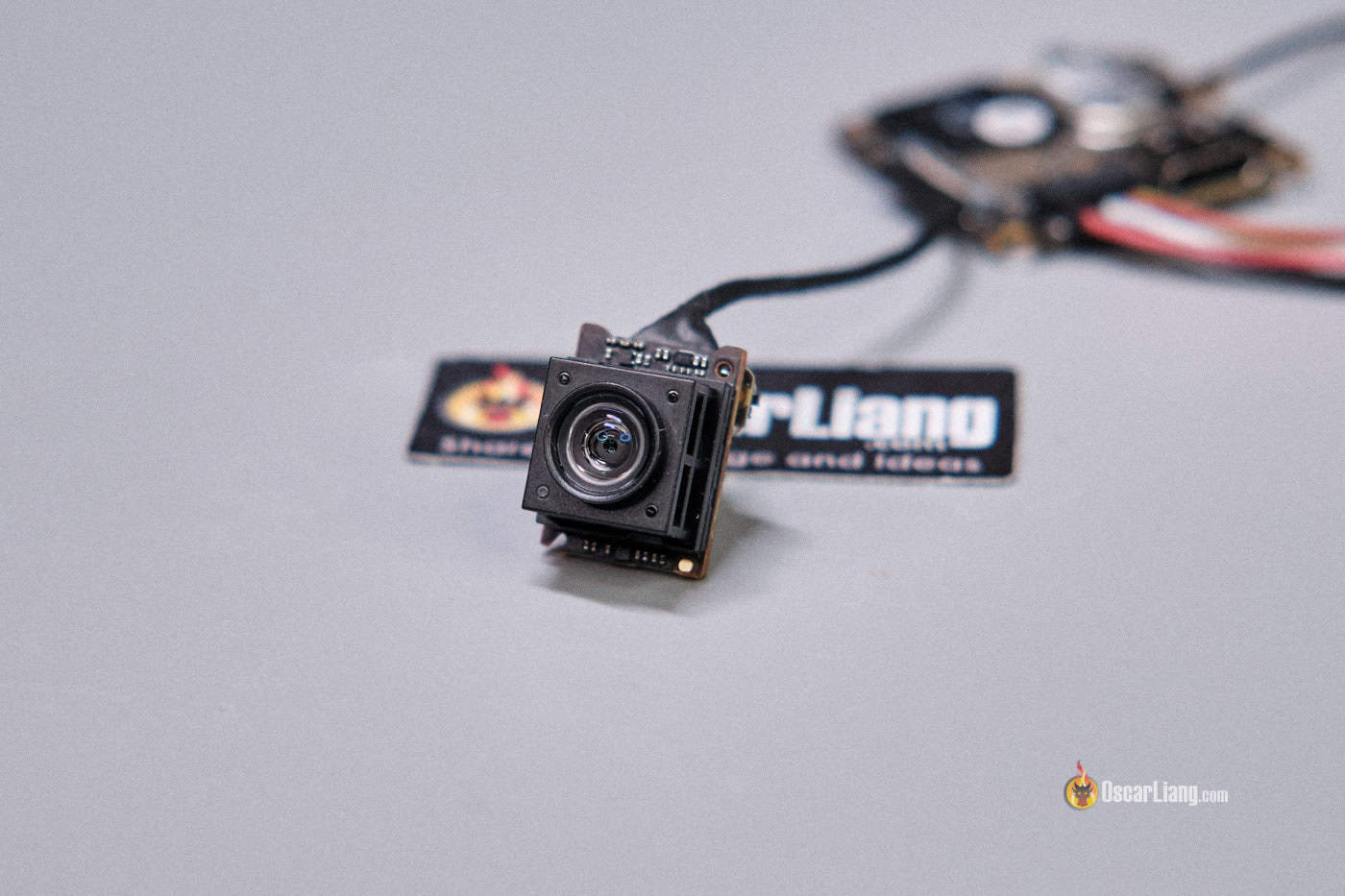
Camera Size And Mounting
FPV cameras come in different sizes, measured by their width:
- Micro (19mm)
- Mini (21mm)
- Standard (28mm)
Micro cameras are common for racing and freestyle drones, while larger cameras are used in bigger builds. Check your drone’s frame to see which size fits.
Key Features To Consider
Choosing the right FPV camera means understanding the most important features. Here’s what really matters:
1. Latency
Latency is the delay between what the camera sees and what you see in your goggles. Lower latency is better, especially for racing and freestyle. Analog cameras often have latency under 10ms, while digital systems range from 20-40ms. If you fly fast or close to obstacles, low latency is crucial.
2. Image Quality
Good image quality helps you see details, avoid crashes, and enjoy flying. Image quality depends on:
- Resolution: Analog cameras usually offer 800TVL to 1200TVL. Digital cameras provide 720p or 1080p.
- Dynamic Range: A high dynamic range helps the camera handle bright sunlight and shadows. Look for cameras with WDR (Wide Dynamic Range) or HDR (High Dynamic Range).
- Color Accuracy: Some cameras show colors more accurately, making it easier to spot gates or obstacles.
3. Field Of View (fov)
FOV describes how wide the camera sees. It’s measured in degrees.
- Wide FOV (120°-170°): Lets you see more of your surroundings. Great for freestyle and exploring.
- Narrow FOV (90°-120°): Focuses on what’s ahead. Useful for racing, where you need to see the track clearly.
Pick a FOV that matches your flying style.
4. Lens Type
Most FPV cameras use M8 or M12 lenses. Lenses affect image clarity and distortion.
- M8 lenses are smaller and lighter, common in micro cameras.
- M12 lenses are larger, often used in mini and standard cameras.
- Focal length: Shorter focal lengths (2.1mm, 2.3mm) give wider FOV. Longer focal lengths (2.5mm, 2.8mm) are more zoomed in.
Some advanced cameras allow you to swap lenses.
5. Light Performance
FPV flying often happens in tricky lighting—bright sunlight, shade, or dusk. A camera’s light sensitivity and performance in low light make a big difference.
- Lux rating: Lower lux means better night performance. A camera with a 0.01 lux rating works well in near-darkness.
- IR filter: Some cameras remove infrared light to improve daytime colors. Others keep IR for better night vision.
Look for cameras with good reviews for both day and night flying.
6. Durability
FPV drones crash often. Your camera needs to survive impacts, dust, and moisture.
- Metal housings are stronger than plastic.
- Lens protection: Some cameras have built-in lens shields.
- Water resistance is rare, but helpful if you fly in wet conditions.
7. Voltage Range
FPV cameras need power, usually from your drone’s battery. Most run on 5V, but some accept 2S-6S (7. 4V-25V). A wider voltage range makes setup easier and reduces risk of burning out the camera.
8. Price Vs Performance
FPV cameras range from $15 to $150. Higher prices usually mean better image, lower latency, and more features. But expensive doesn’t always mean best for you.
- Budget cameras are fine for beginners or casual flying.
- Premium cameras are best for racing or cinematic filming.
Balance your budget with your needs.

Comparing Popular Fpv Cameras
Understanding how different cameras perform can help you choose wisely. Here’s a comparison of three popular FPV cameras for analog and digital:
| Camera | Type | Resolution | Latency | FOV | Price |
|---|---|---|---|---|---|
| RunCam Swift 2 | Analog | 1000TVL | <8ms | 130° | $39 |
| Foxeer Predator V5 | Analog | 1000TVL | <6ms | 150° | $32 |
| DJI FPV Camera | Digital | 720p | 28ms | 150° | $99 |
Analog cameras offer ultra-low latency and affordable prices. Digital cameras deliver clearer images but cost more.
Important Specifications Explained
Let’s dive deeper into the technical specs you’ll see when shopping for FPV cameras.
Tvl (television Lines)
TVL is used for analog cameras. It shows how much detail the camera captures.
- 800TVL: Entry-level, basic detail.
- 1200TVL: High detail, sharper image.
Higher TVL means clearer video, but only if your video transmitter and goggles can handle it.
Aspect Ratio
FPV cameras use either 4:3 or 16:9 aspect ratios.
- 4: 3: Shows more vertical space. Useful for racing and freestyle.
- 16: 9: Wider view, matches modern screens.
Check your goggles’ display. If you use 16:9 goggles, pick a 16:9 camera for best results.
Signal Type
Analog cameras send NTSC or PAL signals.
- NTSC: Used in North America. 30 frames per second.
- PAL: Used in Europe. 25 frames per second.
Both work well, but NTSC is smoother for fast moves.
Osd (on-screen Display)
Some FPV cameras have built-in OSD. This shows battery voltage, flight time, and other data on your video feed. While your flight controller can do this, camera OSD is useful for simple setups.
Built-in Microphone
A few FPV cameras have a microphone, letting you hear motor sounds, wind, or warnings. This feature is rare but helpful for certain pilots.

Testing Fpv Cameras In Real Conditions
Technical specs are important, but real-world performance matters more. Here’s how to test an FPV camera:
- Fly at different times: Test in bright sun, shade, and dusk.
- Try different locations: Open fields, forests, and urban areas.
- Check for glare: Fly toward the sun to see if the camera handles bright light.
- Crash test: If possible, see how the camera holds up after a crash.
Record your flights and review the footage. Notice details like color accuracy, shadow handling, and latency.
Choosing The Right Fpv Camera For Your Needs
Not all pilots need the same camera. Here’s how to match your camera to your flying style.
Racing
Racing pilots need:
- Ultra-low latency
- High detail
- Wide FOV
Analog cameras are still popular for racing because they react almost instantly. Look for cameras with latency under 10ms and high TVL.
Freestyle
Freestyle pilots want:
- Wide FOV
- Good dynamic range
- Strong durability
Freestyle involves tricky maneuvers, so you need to see obstacles clearly. Cameras with WDR and solid build quality are best.
Cinematic Flying
Cinematic pilots prefer:
- Digital cameras
- High resolution
- Accurate colors
Digital cameras like DJI or HDZero give beautiful footage, perfect for editing and sharing. If you film videos, digital is the way to go.
Tiny Whoops And Micro Drones
Small drones need:
- Micro-size cameras (19mm)
- Light weight
- Lower power consumption
Check your drone’s frame and pick a camera that fits.
Comparing Analog And Digital Fpv Systems
Your camera must match your FPV system. Here’s a quick comparison:
| Feature | Analog | Digital |
|---|---|---|
| Latency | Ultra-low (<10ms) | Low (20-40ms) |
| Image Quality | Lower (800TVL-1200TVL) | High (720p-1080p) |
| Price | Affordable ($15-$50) | Expensive ($80-$150) |
| Weight | Light | Heavier |
| Compatibility | Widely supported | Limited (DJI, HDZero) |
Analog is best for fast response and budget builds. Digital offers clear video but costs more.
Common Mistakes When Choosing An Fpv Camera
Many beginners make mistakes when buying their first FPV camera. Here are some to watch out for:
- Ignoring latency: High latency makes flying feel slow and unsafe.
- Choosing the wrong size: Your camera must fit your frame. Double-check before buying.
- Overvaluing resolution: High TVL doesn’t matter if your goggles can’t display it.
- Missing voltage compatibility: Using the wrong voltage can destroy your camera.
- Forgetting about durability: Cheap cameras break easily. Consider build quality.
- Not matching aspect ratio: If your goggles are 4:3, use a 4:3 camera.
Avoiding these mistakes can save money and improve your flying.
How To Install And Set Up Your Fpv Camera
After buying your camera, you need to install it correctly. Here’s a simple step-by-step guide:
- Mount the camera: Use screws or brackets. Make sure it’s secure and aimed forward.
- Connect power: Wire the camera to your drone’s power supply. Check voltage range.
- Connect video signal: Attach the camera’s video wire to your video transmitter.
- Adjust angle: Tilt the camera up or down based on your flying style. Racers often tilt up for faster flight.
- Test the feed: Power on your drone and check the video in your goggles.
Practical Tips
- Use soft mounts or foam pads to reduce vibrations.
- If flying in sunlight, add a small visor to reduce glare.
- Label camera wires to avoid confusion.
Real-world Example: Racing Vs Cinematic Fpv
Let’s compare two pilots:
- Jake, a racer, uses a Foxeer Predator V5. He needs low latency and wide FOV.
- Maria, a cinematic pilot, uses the DJI FPV camera. She values image quality and color accuracy.
Jake’s camera helps him react fast and avoid obstacles. Maria’s camera gives her beautiful, detailed footage for editing. Their needs are different, so their camera choices are too.
Fpv Camera Brands And Models
Some brands stand out for quality and innovation. Here are a few:
- RunCam: Known for reliable analog cameras.
- Foxeer: Wide range of analog and digital cameras.
- Caddx: Focused on digital systems (DJI, HDZero).
- DJI: Leading in digital FPV.
Always check reviews and specs before buying. Some cameras have firmware updates that improve performance.
Advanced Features To Explore
If you want more from your FPV camera, look for these advanced features:
- Adjustable settings: Change brightness, contrast, and color in the field.
- Remote control: Some cameras let you adjust settings from your transmitter.
- Multiple profiles: Switch between day and night modes.
- Global WDR: Handles extreme lighting changes.
These features help experienced pilots fine-tune their experience.
Fpv Camera Comparison For Night Flying
Night flying is popular but challenging. Here’s a comparison of three cameras designed for low light:
| Camera | Lux Rating | IR Filter | Performance |
|---|---|---|---|
| RunCam Owl Plus | 0.0001 lux | No | Excellent for night |
| Foxeer Night Wolf | 0.00001 lux | No | Outstanding in darkness |
| Caddx Turbo Micro | 0.01 lux | Yes | Good for dusk |
If you want to fly at night, choose a camera with a low lux rating and no IR filter.
Learning More About Fpv Cameras
FPV technology changes quickly. To keep up, join online communities, read reviews, and watch YouTube videos. Forums like FPVLab and RCGroups are full of helpful advice.
For technical information, check out FPV Wikipedia. This source explains how FPV works and covers both analog and digital systems.
Frequently Asked Questions
What Is The Difference Between Analog And Digital Fpv Cameras?
Analog cameras send video using radio waves. They offer very low latency and are cheaper. Digital cameras send video as data, giving clearer images and more detail. Digital costs more and sometimes has slightly higher latency.
How Important Is Latency In Fpv Cameras?
Latency is critical. Low latency means faster response, safer flying, and better control. For racing and freestyle, choose cameras with latency under 10ms. For cinematic flying, higher latency is acceptable.
Can I Use An Action Camera Instead Of An Fpv Camera?
Action cameras (like GoPro) record high-quality footage, but they don’t send live video with low latency. FPV cameras are designed for real-time flying and quick reactions.
What Is Wide Dynamic Range (wdr) In Fpv Cameras?
WDR helps cameras handle changes between bright and dark areas. It improves visibility when flying from sunlight into shade or vice versa. Cameras with WDR are better for outdoor flying.
How Do I Choose The Right Aspect Ratio For My Fpv Camera?
Check your goggles’ display ratio. If your goggles are 4:3, use a 4:3 camera. If they’re 16:9, choose a 16:9 camera. Matching aspect ratios avoids stretching and distortion.
Selecting the right FPV camera is a balance of features, price, and compatibility. Take your time to compare options, test in real conditions, and avoid common mistakes. FPV flying is much more enjoyable when you can see clearly and react fast.
Use this guide to make confident choices, and you’ll be ready for safe and exciting flights.