Flying FPV (First Person View) drones is exciting and opens a new world for pilots and hobbyists. The FPV camera is at the heart of this experience, letting you see what the drone sees in real time. But if you are building or upgrading your FPV drone, you must understand the power requirement of an FPV camera. This is not just about plugging it in; wrong power can cause poor video quality, overheating, or even damage your equipment. In this article, you’ll discover everything you need to know about FPV camera power requirements, from basic concepts to practical tips, common mistakes, and real-world examples.
What Is An Fpv Camera And Why Power Matters
An FPV camera is a small video camera mounted on a drone, used for live streaming video to a pilot’s goggles or monitor. Unlike regular action cameras, FPV cameras are designed for low latency and high speed. They are lightweight, compact, and often powered directly from the drone’s battery or a dedicated circuit.
Power matters because:
- FPV cameras are sensitive to voltage and current fluctuations.
- Wrong power can cause interference, image flicker, or total failure.
- Choosing the right power ensures stable video and longer camera life.
Many beginners overlook power requirements, assuming all cameras are similar. In fact, FPV cameras differ widely in their voltage ranges, current needs, and connectors.
Understanding Voltage And Current In Fpv Cameras
FPV cameras use direct current (DC) power, usually from the drone’s battery. The two main factors are voltage (measured in volts, V) and current (measured in amperes, A or mA).
Typical Voltage Ranges
Most FPV cameras require between 5V and 12V. Some modern cameras can accept a wider range, up to 36V (for 2S–8S LiPo batteries).
- 5V cameras: Common in micro drones, powered by flight controller or dedicated regulator.
- 7–12V cameras: Standard for most analog FPV cameras; often powered directly from a 2S or 3S battery.
- Wide voltage cameras (5V–36V): Can be powered from almost any drone battery, useful for flexibility and reliability.
Typical Current Draw
FPV cameras usually draw between 50mA and 250mA depending on resolution, features, and type.
- Micro cameras: 50–100mA
- Standard analog cameras: 100–150mA
- High-resolution or digital cameras (HD): 150–250mA
Some advanced digital FPV systems (like DJI) require more power, sometimes up to 500mA or more.
Why Both Matter
Supplying the correct voltage is crucial. Too high can fry the camera; too low can cause poor video. Current must also be sufficient. If your power supply can’t deliver enough current, the camera may shut down or display glitches.
Types Of Fpv Cameras And Their Power Needs
FPV cameras come in different types, each with distinct power requirements.
Analog Fpv Cameras
Analog cameras are the most common in racing and freestyle drones. They use standard video signals and are lightweight.
- Voltage: 5V–12V (sometimes up to 24V)
- Current: 100–150mA
Popular analog brands include RunCam, Foxeer, and Caddx.
Digital Fpv Cameras
Digital FPV systems like DJI FPV and Walksnail Avatar offer high-definition video with low latency.
- Voltage: 7V–18V (sometimes 5V, depending on module)
- Current: 200–500mA
Digital systems are usually heavier and require more power than analog.
Micro And Nano Fpv Cameras
These are used in tiny whoop drones or lightweight builds.
- Voltage: 5V only
- Current: 50–100mA
These cameras usually connect to the flight controller’s regulated 5V output.
Table: Fpv Camera Types Vs Power Needs
Here’s a direct comparison for quick reference:
| Camera Type | Voltage Range | Current Draw | Typical Use |
|---|---|---|---|
| Analog | 5V–12V | 100–150mA | Racing, freestyle drones |
| Digital (HD) | 7V–18V | 200–500mA | Cinematic, high-quality video |
| Micro/Nano | 5V | 50–100mA | Tiny whoop, lightweight builds |
How To Find The Power Requirement Of Your Fpv Camera
If you have an FPV camera or are planning to buy one, always check the manufacturer’s specifications. Here’s how:
- Read the manual: Most FPV cameras come with a datasheet showing voltage and current requirements.
- Check online listings: Reliable sellers list voltage and current specs.
- Inspect the camera label: Some cameras print power specs on the back or side.
- Visit the official website: Brands like RunCam or DJI publish detailed specs.
If you can’t find the specs, search for your camera’s model name plus “power requirements. ” Never guess or use “what works for others” — even similar-looking cameras can have different needs.
Example: Runcam Swift 2
- Voltage: 5V–36V
- Current: 70mA @ 12V
This model is flexible and can handle a wide range of voltages, making it suitable for most drone setups.
Example: Dji Fpv Camera
- Voltage: 7V–18V
- Current: 220mA @ 12V
This digital camera needs more current and a higher voltage than most analog models.

Powering Your Fpv Camera: Options And Best Practices
You have several ways to supply power to your FPV camera. Each method has its pros and cons.
Powering Directly From Battery
Some cameras accept a wide voltage range and can be powered directly from the drone’s battery.
- Pros: Simple, fewer wires.
- Cons: Risk of voltage spikes, interference, possible brown-outs during throttle peaks.
Using A Voltage Regulator
Many pilots use a Voltage Regulator (also called BEC — Battery Eliminator Circuit) to supply steady voltage.
- Pros: Stable power, protects camera from spikes.
- Cons: Adds weight and complexity.
Voltage regulators convert battery voltage (often 7. 4V–14. 8V for 2S–4S) to a fixed 5V or 12V suitable for cameras.
Powering From Flight Controller
Modern flight controllers often have dedicated pads or pins for FPV camera power.
- Pros: Easy wiring, regulated voltage, often includes filtering.
- Cons: Limited current capacity, may not suit high-power digital cameras.
Table: Power Supply Methods Comparison
See how different methods stack up:
| Power Method | Stability | Complexity | Best For |
|---|---|---|---|
| Direct from battery | Low | Simple | Wide-voltage analog cameras |
| Voltage regulator | High | Medium | All camera types |
| Flight controller | Medium | Easy | Micro/Nano cameras |
Wiring And Connectors: Getting Power To Your Fpv Camera
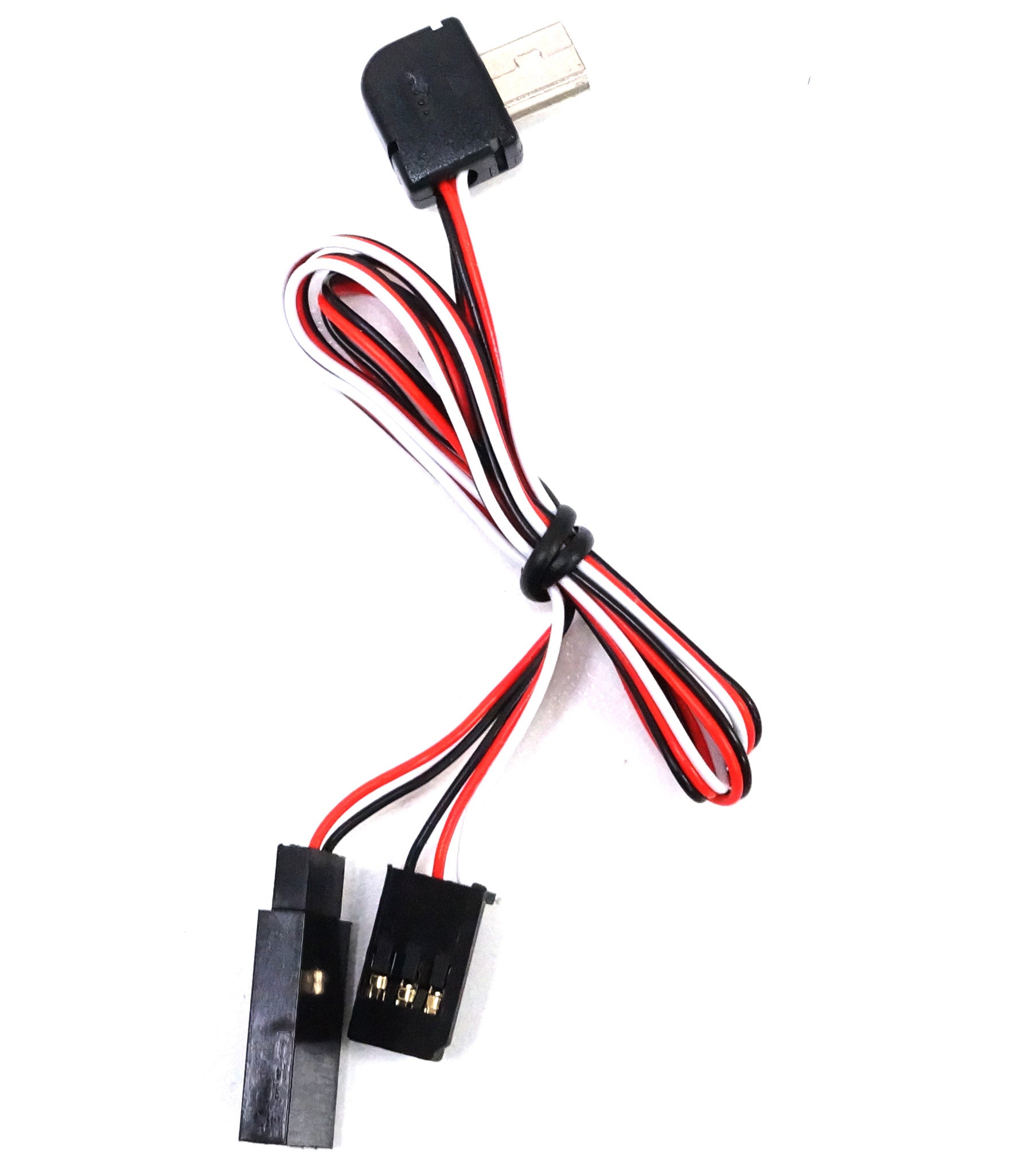
FPV cameras use various connectors for power. The most common are:
- 3-pin JST: Used for analog cameras; supplies power, ground, and video signal.
- 4-pin/6-pin Molex: Used in digital systems; power, ground, video, and control.
- Direct solder pads: Some micro cameras require soldering wires directly.
Always match the connector with your camera and flight controller. Incorrect wiring can damage the camera or cause signal loss.
Tips For Wiring
- Use quality wires; thin, cheap wires can break or cause voltage drop.
- Keep power and video wires separate to reduce interference.
- Double-check polarity: Reversing power wires can instantly destroy a camera.
Many pilots use color-coded wires:
- Red: Power (+)
- Black: Ground (–)
- Yellow: Video signal
Power Filtering: Avoiding Interference And Video Noise
A common issue in FPV setups is video noise — lines, flicker, or static caused by electrical interference. This often happens when the camera shares power with motors or ESCs.
How To Filter Power
- Use a capacitor on the power line to smooth voltage.
- Use a separate voltage regulator for the camera.
- Use twisted wires and keep power wires short.
Power filtering is vital for digital FPV systems, which are more sensitive to noise. For analog systems, a small capacitor (470µF–1000µF) near the camera can solve most problems.
Real-world Example
A pilot reports video flicker when powering the camera from the main battery. Adding a 1000µF capacitor to the camera’s power wires removed the interference.
Calculating Power Budget For Your Fpv Setup
When building a drone, you need to ensure your power system can handle all components. This means adding up the current draw for the camera, video transmitter (VTX), flight controller, and other electronics.
Steps:
- List all components and their current draw (in mA or A).
- Add up the total current needed.
- Check your power supply’s rating (battery, regulator, flight controller).
For example, if your FPV camera draws 120mA and your VTX draws 300mA, you need at least 420mA available.
Example Calculation
- FPV Camera: 120mA
- VTX: 300mA
- Flight Controller: 50mA
- LED: 30mA
Total needed: 500mA
If your voltage regulator supplies 1A (1000mA), you are safe. If you use a flight controller pad rated for 600mA, you are also safe. If your total draw exceeds the rating, you must upgrade or use a separate regulator.
Common Power Mistakes And How To Avoid Them
Many beginners make errors that can lead to problems or even damage. Here’s what to watch out for:
- Supplying the wrong voltage: Always check the camera’s voltage rating.
- Not enough current: If the power supply cannot deliver enough current, the camera may shut off or show glitches.
- Poor wiring: Loose, thin, or damaged wires cause voltage drop and unstable power.
- Mixing power sources: Using multiple power sources without proper filtering can cause interference.
- Ignoring power filtering: Skipping capacitors or regulators leads to video noise, especially with powerful motors.
Non-obvious Insight
Many pilots assume “more voltage is better. ” Actually, supplying higher voltage than needed can overheat or damage the camera. Always stay within the specified range.
Choosing The Right Fpv Camera For Your Power Setup
When selecting an FPV camera, consider your drone’s power system.
- If your drone has only a 5V regulator, choose a 5V camera.
- If you want flexibility, pick a camera with a wide voltage range (like 5V–36V).
- For digital systems, ensure your battery or regulator can supply enough current.
Research is key. Look for real-world reviews and test reports. Many pilots share their power setups on forums and YouTube.
Table: Popular Fpv Cameras And Their Power Specs
Compare specs of top models below:
| Camera Model | Voltage Range | Current Draw | Type |
|---|---|---|---|
| RunCam Swift 2 | 5V–36V | 70mA @ 12V | Analog |
| Foxeer Predator V5 | 5V–20V | 100mA @ 12V | Analog |
| DJI FPV Camera | 7V–18V | 220mA @ 12V | Digital |
| Caddx Nebula Nano | 5V | 120mA | Digital |
Practical Tips For Safe And Reliable Fpv Camera Power
- Always check specs before connecting power.
- Use a voltage regulator for sensitive cameras.
- Add a capacitor for power filtering to reduce video noise.
- Use thick, quality wires and double-check connections.
- If possible, use flight controller pads designed for camera power.
If you’re unsure, ask experienced pilots or check online forums. There are communities like FPVLab and RC Groups where experts help beginners.
Advanced Power Considerations
For larger drones or professional builds, power requirements can be more complex.
- Some setups use multiple cameras or VTXs.
- Professional drones may use custom power distribution boards.
- Extreme environments (cold, hot, high altitude) can affect power stability.
If you fly in demanding conditions, test your setup thoroughly. Use a voltmeter to check real voltage at the camera during flight.
Real-world Examples: Fpv Camera Power In Action
Let’s look at two pilots and their FPV camera power setups.
Example 1: Racing Drone
- Camera: Foxeer Predator V5 (5V–20V, 100mA)
- Power: Flight controller pad (regulated 5V, 600mA max)
- Result: Stable video, no noise
Example 2: Cinematic Drone (dji Digital Fpv)
- Camera: DJI FPV Camera (7V–18V, 220mA)
- Power: Dedicated voltage regulator (12V, 2A)
- Result: Clean HD video, no interference
Both setups work because the pilots matched the camera specs to the power supply and added filtering.
Non-obvious Insights Most Beginners Miss
- Voltage drop over long wires can reduce the actual voltage at the camera, especially with thin wires or high current draw. Always keep wires short and use proper gauges.
- Motors and ESCs generate electrical noise that can affect the camera, even if powered from a regulated source. Power filtering is not optional—it’s essential for clear video.
Where To Find More Information
If you want deeper knowledge about FPV camera power, visit Wikipedia for technical details and history.
Frequently Asked Questions
What Happens If I Supply Too Much Voltage To My Fpv Camera?
Supplying voltage above the camera’s rated range can overheat, damage, or destroy the camera. Always stay within the manufacturer’s specs.
Can I Power My Fpv Camera From The Flight Controller?
Yes, many flight controllers have regulated pads for FPV cameras. Check the current rating to ensure it can handle your camera’s draw.
How Do I Reduce Video Noise Caused By Power Issues?
Use a voltage regulator and add a capacitor to the camera’s power wires. Keep power and video wires separate and short.
Is It Safe To Use A Camera With A Wide Voltage Range?
Yes, cameras with wide voltage ranges (like 5V–36V) are more flexible and can be powered from different sources. Always check current needs as well.
What Is The Typical Current Draw Of An Fpv Camera?
Most analog cameras draw 100–150mA. Digital cameras can draw 200–500mA. Micro cameras usually need 50–100mA. Always check your specific model.
Building a drone is more than assembling parts—it’s about understanding how each piece works together. The power requirement of your FPV camera is one of the most important details for safe, clear, and reliable flight. Take time to check specs, use proper wiring and filtering, and you’ll enjoy smooth FPV video every time you fly.