What Is The Latency Of An Fpv Camera?
Flying an FPV drone feels like entering a new world. The drone moves, and you see the action instantly through your goggles. But is it really instant? Not quite. The time it takes for the image to travel from the drone’s camera, through the transmitter, and into your eyes is called latency. For drone racing, freestyle flying, or even aerial filming, this delay can mean the difference between smooth control and crashing into a tree. Understanding FPV camera latency helps you choose the right gear, improve your flying, and avoid costly mistakes. This article explains FPV camera latency in simple words, shares real data, and shows how you can reduce it for better flying.
What Is Latency In Fpv Cameras?
Latency is the small delay between what the FPV camera sees and what you see in your goggles. Imagine you are flying your drone toward a tiny gap. If the latency is high, your view is behind the drone’s real position. That means you see the gap a bit later than the drone is actually there. In FPV flying, even a delay of 50 milliseconds (ms) can affect your control.
FPV latency comes from three main sources:
- The camera itself, which needs time to capture and process the image.
- The video transmitter and receiver, which send the signal wirelessly.
- The display (goggles or monitor), which shows the image.
All these steps add up to the total latency. FPV pilots often talk about “system latency,” meaning the combined delay of the whole setup.
Why Latency Matters For Fpv Flying
Low latency is critical for FPV drones. Here’s why:
- Precision: In racing, you need to react instantly. High latency means you always fly behind the real world.
- Safety: If you fly close to obstacles, delayed visuals can cause crashes.
- Smooth flight: Freestyle pilots need real-time feedback for tricks and sharp turns.
- Enjoyment: Less delay feels more natural, making the experience enjoyable.
Professional drone racers often demand latency below 20 ms. For casual flying or filming, latency up to 50 ms may be acceptable. But anything above 100 ms feels “laggy” and can break immersion.
How Is Fpv Camera Latency Measured?
Measuring latency is tricky, because it includes all parts of the system. Most tests use a simple method:
- Shine a light or move an object in front of the camera.
- Record the camera’s output and real action at the same time, often with a high-speed camera.
- Count the frames between the action and the displayed image.
For example, if a high-speed camera records at 240 fps (frames per second), and there’s a 3-frame delay, the latency is:
3 frames ÷ 240 fps = 0.0125 seconds = 12.5 ms
Some manufacturers list “camera latency” alone, but real pilots care about “system latency. ” Always check if the numbers are for the camera only, or the full setup.
Typical Latency Values In Fpv Cameras
FPV cameras come in two main types: analog and digital. Each has different latency ranges.
| Camera Type | Typical Latency (ms) | Example Models |
|---|---|---|
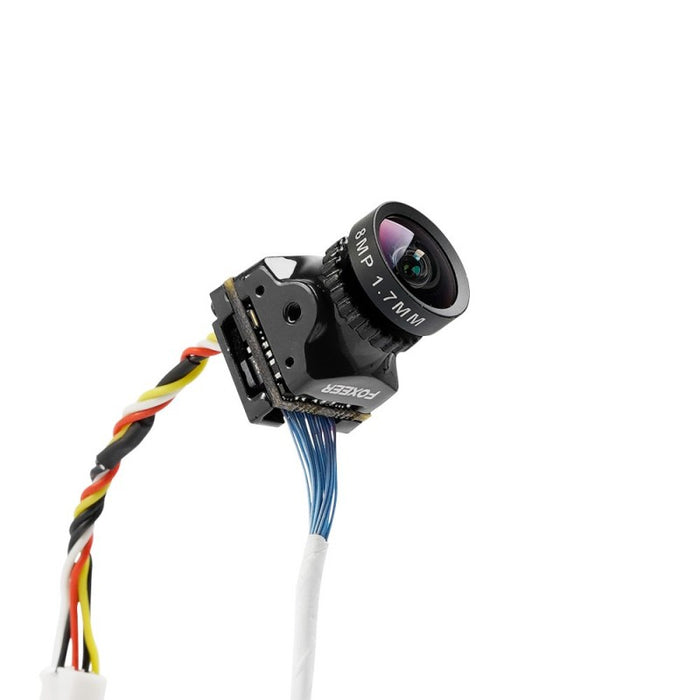
| Analog FPV | 5–40 | RunCam Swift, Foxeer Predator |
| Digital FPV | 20–50 | DJI FPV, Walksnail Avatar |
| HDZero | 8–25 | HDZero Nano Camera |
Analog cameras are still popular in racing because their latency is very low. Digital cameras offer better image quality, but usually higher latency. New systems like HDZero are closing the gap, combining HD video with low latency.
Factors That Affect Fpv Camera Latency
Many things influence how much delay you get from an FPV camera. Here are the most important factors:
1. Camera Sensor Type
Most FPV cameras use either CMOS or CCD sensors. CMOS is newer, cheaper, and offers high resolution, but sometimes has slightly more latency than CCD.
2. Video Encoding
Digital FPV systems compress video before sending. Compression adds processing time, increasing latency. Analog systems send raw video, so they’re faster.
3. Transmission Protocol
Different video protocols (like PAL, NTSC, 720p, 1080p) have different frame rates and resolutions. Higher resolution often means more processing, and more latency.
4. Display Refresh Rate
FPV goggles or monitors update the image at different speeds. Low refresh rates can add delay, so high-quality goggles with faster screens reduce latency.
5. Signal Interference
Wireless signals can be slowed by interference from other devices, walls, or distance. More interference means higher latency.
6. Firmware And Hardware
Some cameras or transmitters have better chips or software, allowing faster processing. Firmware updates can improve latency.
7. Connection Quality
Loose wires or poor soldering can cause tiny delays. Every part of the system counts.
Real-world Examples: Fpv Camera Latency In Action
To see latency in practice, let’s compare three popular FPV setups:
| Setup | Camera Model | System Latency (ms) | Notes |
|---|---|---|---|
| Analog Racing | Foxeer Predator Mini | ~8 | Preferred by pro racers |
| Digital Freestyle | DJI FPV Air Unit | ~28 | Great image, moderate latency |
| HDZero Racing | HDZero Nano | ~15 | HD video, low latency |
Analog racing setups are still king for speed. Digital systems like DJI are popular for freestyle and cinematic flying, where image quality matters more than lowest latency. HDZero is becoming popular among racers who want HD with nearly analog speed.
How To Reduce Latency In Your Fpv Setup
Many pilots want to make their system as fast as possible. Here are practical ways to reduce latency:
- Choose an analog camera for racing or fast flying. Analog is still fastest.
- Pick a low-latency digital system like HDZero if you want HD video.
- Use high-refresh goggles (like 60Hz or higher) for quicker image updates.
- Keep transmitter and receiver firmware updated to fix bugs and improve speed.
- Avoid signal interference—fly away from WiFi routers and other electronics.
- Use short, high-quality cables between camera, transmitter, and receiver.
- Test latency after changing components to spot any weak links.
A non-obvious tip: Some digital systems let you choose “low latency mode” in the settings. This reduces delay, but sometimes lowers image quality. Always check your system options.
Common Mistakes When Choosing Fpv Cameras For Low Latency
Many beginners focus only on camera specs, but ignore the rest of the system. Here are mistakes to avoid:
- Buying a “low latency” camera, but pairing it with slow goggles or transmitter.
- Using high-resolution settings for racing, which increases latency.
- Forgetting to check if latency numbers are for the camera only, not the whole system.
- Ignoring firmware updates, which sometimes fix latency problems.
Always test your complete setup, not just one part.

Analog Vs Digital Fpv Camera Latency
Analog FPV has been the standard for years. It sends video signals directly, with little processing. This makes analog latency very low.
Digital FPV compresses and processes video before sending. It offers clear HD images, but the extra processing adds delay.
Here’s a quick comparison:
| Feature | Analog FPV | Digital FPV |
|---|---|---|
| Image Quality | Standard Definition | High Definition (HD) |
| Latency | 5–40 ms | 20–50 ms |
| Reliability | Stable, less interference | Can glitch or freeze |
| Preferred Use | Racing | Freestyle, Cinematic |
Analog is still preferred by pro racers. Digital is growing fast, especially for pilots who want HD video.
Testing Latency: Diy Methods And Tools
You don’t need expensive tools to test latency. Here’s a simple method you can try:
- Place a digital stopwatch or timer in front of the FPV camera.
- Record the camera’s output with your phone or another camera.
- Compare the time shown on the stopwatch and the FPV display.
- Count the difference in milliseconds.
You can also use a high-speed camera, but even slow-motion on a phone can reveal delays. Some online guides show step-by-step examples for measuring latency.
A non-obvious insight: Even if your camera is fast, latency can increase if your goggles are set to “record mode” or “playback mode.” Always test in the same mode you use for flying.
How Latency Impacts Pilot Performance
FPV drone pilots often say, “I can feel the lag.” High latency makes flying harder, especially at high speed. Here’s how it affects real performance:
- Overshooting turns: With delayed visuals, you react too late and miss gates or obstacles.
- Jittery control: Tiny delays mean your stick movements don’t match what you see.
- Reduced confidence: When you feel lag, you fly slower and make safer moves, losing racing advantage.
Studies show that human reaction time is about 150–200 ms. If your FPV system adds 50 ms, that’s a big chunk of delay. Top racers train to adapt, but lower latency always helps.
The Future Of Fpv Camera Latency
FPV technology is improving fast. New systems promise HD video with almost analog speed. Companies like HDZero and Walksnail Avatar are pushing the limits, offering HD video under 20 ms latency.
More pilots are asking for low latency AND great image quality. The market is moving toward “best of both worlds. ” Firmware updates, new sensors, and better chips are driving progress.
A practical insight: As technology improves, always check real-world reviews, not just manufacturer specs. Some brands exaggerate their latency claims.
How To Choose The Right Fpv Camera For Your Needs
Picking the best FPV camera depends on your flying style and goals. Here are key factors to consider:
- Flying Purpose
- Racing: Go for analog or HDZero for lowest latency.
- Freestyle: Digital systems like DJI are fine, even with 30–50 ms latency.
- Cinematic: Image quality matters more, so digital is best.
- Budget
- Analog setups are cheaper.
- Digital systems cost more, but offer HD video.
- Compatibility
- Make sure your camera fits your transmitter and goggles.
- Check voltage and mounting options.
- Latency Numbers
- Look for real-world tests, not just specs.
- Compare “system latency,” not just camera latency.
- Extra Features
- Some cameras have adjustable settings, like low latency mode.
- Wide dynamic range helps in bright sunlight.
- Brand Reputation
- Stick to trusted brands like RunCam, Foxeer, DJI, HDZero.
A non-obvious tip: Sometimes, the “best” camera is not the lowest latency. For beginners, a more stable image and easy setup matter more than shaving off a few milliseconds.
Frequently Asked Questions
What Is Considered Low Latency For Fpv Cameras?
Low latency in FPV is usually under 20 ms for racing. For freestyle or casual flying, up to 50 ms is still acceptable. Above 100 ms feels laggy and can affect control.
Does Higher Resolution Increase Fpv Camera Latency?
Yes. Higher resolution means more data to process and send. For example, 1080p video usually has more latency than 720p or standard definition. If low latency is critical, use lower resolution settings.
Can Firmware Updates Reduce Fpv Camera Latency?
Sometimes. Manufacturers release firmware updates to improve processing speed and fix bugs. Always check for the latest updates for your camera, transmitter, and goggles.
Is Analog Fpv Always Faster Than Digital Fpv?
Analog FPV is generally faster because it sends video without compression. Digital FPV adds processing, which increases latency. New systems like HDZero are closing the gap, but analog is still the standard for racing.
How Can I Measure The Latency Of My Fpv Setup?
You can measure latency by recording a timer or light in front of the camera and comparing the real action and FPV display. Use a high-speed camera or slow-motion video. Some pilots use online guides for step-by-step instructions. For more details, check this Oscar Liang’s FPV Latency Guide.

Final Thoughts
FPV camera latency is a critical part of drone flying. Whether you race, freestyle, or film, understanding latency helps you pick the right gear and fly better. Low latency gives you fast reactions, safe flights, and more confidence. Always check real-world latency, test your full setup, and don’t rely only on specs.
As FPV technology improves, pilots have more choices than ever. Choose wisely, keep your gear updated, and enjoy the thrill of flying with clear, real-time vision.