
Your camera flash likely stopped firing due to a simple software setting, a depleted battery, or an incompatible mode that restricts manual strobe activation. When a flash fails to trigger, the culprit is rarely a permanent hardware failure, but rather a configuration mismatch between your camera’s current shooting mode and the lighting requirements of the scene. Identifying whether the issue is user-defined, power-related, or mechanical allows you to restore your equipment to full functionality quickly without needing professional intervention.
Key Takeaways
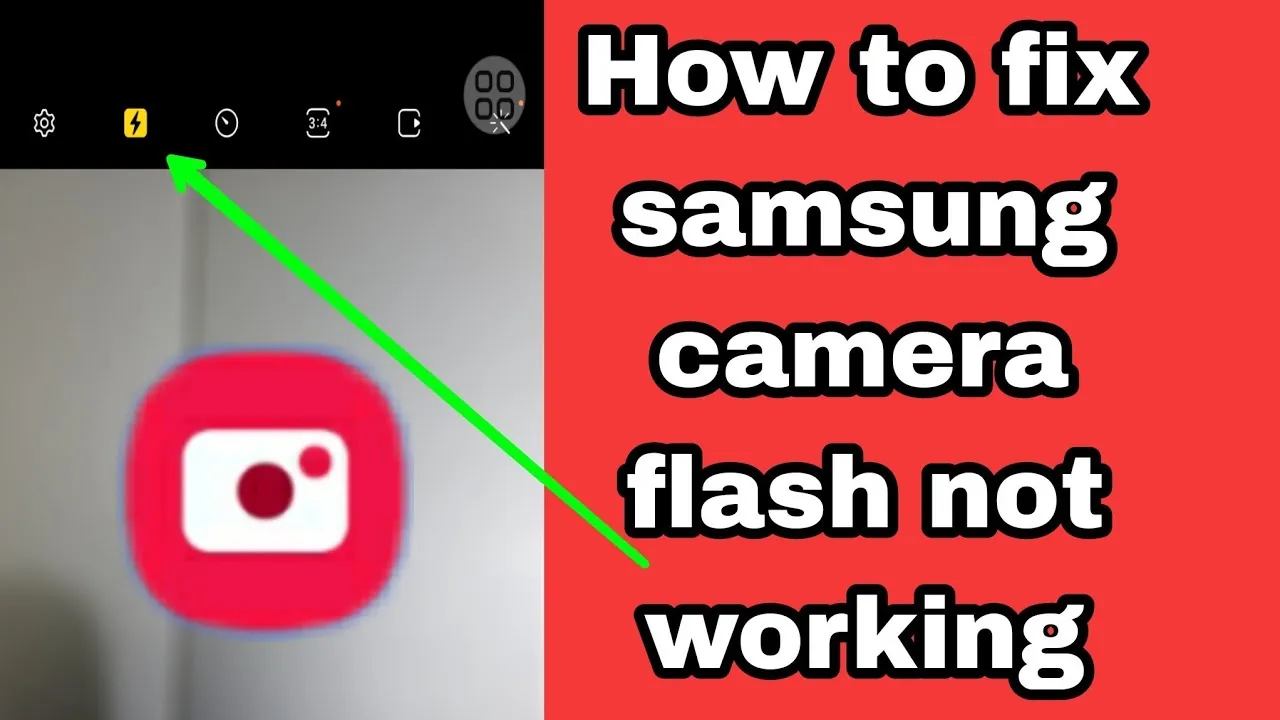
- Check if your shooting mode, such as “Silent” or “Burst,” automatically disables the flash.
- Verify that your battery level is sufficient, as many cameras disable the flash when power is low.
- Ensure the flash head is fully extended or the external unit is securely locked into the hot shoe.
- Reset your camera settings to the factory default if the menu configuration has become corrupted.
- Clean the metal contacts on the hot shoe with a dry, lint-free cloth to ensure proper electrical communication.
Why Is My Camera Flash Not Working?
The most common reason for a non-responsive flash is that the camera is in a mode where the flash is prohibited. Many digital cameras feature a “Silent” or “Electronic Shutter” mode; in these settings, the camera disables all artificial lighting to remain discreet.
Additionally, if you’re using “Continuous” or “Burst” shooting, the camera can’t recycle the flash capacitor fast enough to keep up with the frame rate, so it disables the flash entirely. Switching to “Single Shot” mode often resolves this instantly.
Battery Power and Performance
Flash units require a significant surge of electricity to fire. Even if your camera has enough power to capture photos without a flash, it may lack the voltage required to charge the capacitor inside the flash unit.
When the battery icon begins to blink or shows a low charge, the camera controller prioritizes the sensor and processor over the strobe. Always ensure your lithium-ion battery is fully charged or that your AA batteries are fresh, as alkaline batteries can struggle to provide the high current needed for rapid recycling.
| Power Source | Impact on Flash | Recommended Action |
|---|---|---|
| Low Battery | Disables Flash | Charge or Replace |
| Weak AA Cells | Slow Recycle | Use High-Capacity NiMH |
| Cold Temperature | Reduced Output | Keep Camera Warm |
Software Settings and Menu Conflicts
Digital cameras are complex computers, and a single incorrect toggle can disable your flash. Check your menu for a “Flash Off” or “Flash Suppressed” icon, which often looks like a lightning bolt with a line through it.
Some cameras also have a “Focus Assist” setting that interferes with the flash if the camera can’t achieve a lock on the subject. If you have been experimenting with deep menu settings, performing a full system reset through the setup menu can clear out hidden conflicts that prevent the flash from communicating with the shutter.
Physical Obstructions and Hardware
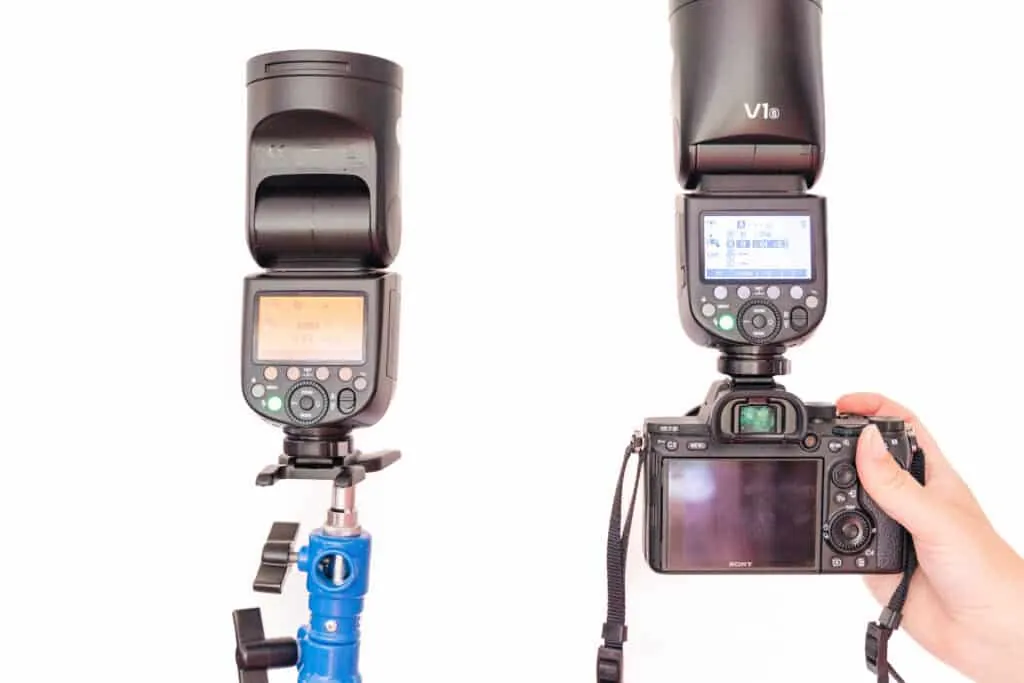
If you use an external flash, the most frequent point of failure is the connection between the flash unit and the camera’s hot shoe. Over time, oxidation or debris can accumulate on the small metal pins, preventing the camera from “seeing” the flash.
Use a dry, clean microfiber cloth to wipe these contacts gently. If you’re using a built-in flash, ensure it has popped up completely. If the door is stuck or the spring mechanism is jammed, the camera will assume the flash is closed and refuse to send a charge to the bulb.
Environmental Factors and Safety
Extreme environments can cause internal components to fail temporarily. High humidity can lead to moisture buildup inside the flash housing, while extreme cold can drastically increase the internal resistance of batteries.
According to the Canon support documentation for camera maintenance, keeping your equipment dry and within recommended temperature ranges is essential for preventing corrosion and ensuring the longevity of electronic components like the flash capacitor. If you suspect moisture, place the device in a sealed container with silica gel packets for twenty-four hours.
Troubleshooting Your External Flash
External speedlights are prone to different issues than built-in flashes. If you’re using a third-party unit, the flash might be set to “Slave” mode, which means it’s waiting for a signal from another flash rather than the camera itself.
Ensure your flash is set to “TTL” (Through-The-Lens) or “Manual” mode for direct communication. Also, verify that the flash is securely locked into the hot shoe using the locking dial; even a millimeter of separation can break the data connection between the camera and the strobe.
Comparison of Flash Modes
| Mode Name | Typical Behavior | Best Use Case |
|---|---|---|
| Auto Flash | Camera decides | Quick snapshots |
| Fill Flash | Fires every time | Backlit portraits |
| Red-Eye Reduction | Pre-flash fires | Night portraits |
| Slow Sync | Long exposure | Night landscapes |
When to Contact a Professional
If you have cleaned the contacts, replaced the batteries, reset the software, and checked every shooting mode, the problem might be an internal hardware failure. A blown flash capacitor or a broken ribbon cable connecting the flash unit to the mainboard requires a specialized technician to fix.
Don’t attempt to open the camera body yourself. Flash units hold a high-voltage charge that can be dangerous even when the battery is removed, so professional repair services are the only safe route if the hardware is truly broken.
Maintenance Tips for Longevity

To keep your flash functioning reliably, avoid leaving batteries inside the unit for extended periods of storage, as they can leak and corrode the terminals. Periodically fire the flash at full power a few times if you haven’t used it in months; this helps “condition” the capacitor and maintains its ability to hold a charge.
Keeping the flash head clean of dust and oils also ensures that the light output remains consistent and that the plastic housing doesn’t overheat during heavy use.
Frequently Asked Questions
Why does my flash fire but the photo is dark?
This usually indicates a mismatch between your shutter speed and the flash sync speed. If your shutter speed is faster than the camera’s maximum sync speed, usually 1/200th or 1/250th of a second, the shutter will close before the flash has finished firing. Ensure your shutter speed is set to the sync speed or slower, or enable “High-Speed Sync” if your flash and camera support it.
Can a firmware update fix my flash?
Yes, in some cases. Manufacturers occasionally release firmware updates to address compatibility issues between the camera body and external flash units. Check the official support website for your specific camera model to see if a recent update addresses “flash communication” or “accessory compatibility.” Installing these updates can resolve bugs that prevent the camera from recognizing the flash unit.
Why is my flash recycling so slowly?
Slow recycling is almost always a sign of dying batteries. As batteries lose their capacity, they struggle to deliver the high-amperage current needed to recharge the flash capacitor. Replace your batteries with high-quality, high-capacity rechargeable NiMH batteries, which are designed to handle the high-drain requirements of photographic equipment much better than standard alkaline batteries.
Is it safe to use a flash in the rain?
No, using an electronic flash in the rain is dangerous and can cause a short circuit. Unless your camera and flash are explicitly rated as “weather-sealed” or “weather-resistant,” moisture can enter the hot shoe or the flash housing. If you must shoot in damp conditions, use a protective rain cover or a dedicated weather-sealed flash unit to keep the internal electronics dry and functioning.
Does the flash work in video mode?
Generally, no. Most cameras disable the flash when switched to video mode. Video requires a constant light source, such as a dedicated LED panel, rather than the instantaneous, high-intensity burst provided by a camera flash. Using a flash during video recording isn’t possible because the flash is designed to illuminate a single frame, not a continuous stream of motion.
Conclusion
The most effective way to address a non-working flash is to systematically eliminate variables, starting with your camera’s shooting mode and battery status. If you have confirmed that your settings are correct and your power source is reliable but the flash still fails to trigger, consult your manufacturer’s user manual to locate a service center for a professional diagnostic inspection.


1 Comment
Pingback: How to Fix a Camera That Won't Connect to a Computer