You can often fix a camera with a stuck shutter by removing the battery to reset the internal software and checking if the memory card is full. This problem usually happens because of a low battery, a mechanical jam, or a faulty SD card. If the shutter remains closed or open after a reset, the issue is likely a hardware failure inside the camera body.
Why camera shutters get stuck
The most common cause for a stuck shutter is a lack of power. If your battery level is low, the camera can’t complete the full cycle of the shutter movement. This leaves the curtain partially open or closed, which looks like a jam. Always check your battery status first, as even a nearly full battery might not provide enough voltage if it’s old or degraded.
Another frequent cause is an error during the image writing process. If your SD card is corrupted or full, the camera software can hang while trying to save a file. This glitch sometimes prevents the shutter from returning to its home position. The camera essentially waits for the storage to respond, but since it cannot, the mechanical parts stay locked in place.
Finally, internal dust or debris can physically block the shutter blades. If you use your camera in sandy or windy environments, tiny particles can lodge in the tracks. This creates friction that the motor can’t overcome. If you hear a grinding noise when you press the shutter button, don’t force it, as you might break the delicate springs inside.
Perform a hard power reset
A hard reset is the safest first step to clear a software lock. Turn the camera off and remove the battery completely. Leave it out for at least 15 minutes to allow the internal capacitors to discharge fully. If your camera has a dedicated small backup battery for settings, remove that as well if the manual allows it.
After the wait, insert a fully charged battery and turn the camera on. If the shutter is still stuck, try to change the shooting mode to “Manual” or “Bulb” and take a picture. Sometimes, forcing the camera to use a different timing cycle can snap the shutter back into its correct position.
If you’re unsure how to remove the internal backup battery, check your official Canon camera user manual for the specific steps. If the shutter still doesn’t move after these steps, the issue is mechanical and you should stop trying to force it.
Check the memory card and settings
A full or faulty SD card often mimics a hardware failure. Remove the memory card and try to take a photo without one, if your camera model allows it. If the shutter works perfectly while the card is out, the card is the culprit. Try formatting the card through the camera menu or testing with a brand-new card to see if the issue persists.
You should also check for any “Firmware Update” messages on the screen. Manufacturers release updates to fix bugs that can cause the shutter to hang. If your camera is stuck in a loop, connect it to a computer via USB to see if the computer recognizes the device. If the computer doesn’t see the camera, the main board might have a power delivery issue that only a professional repair shop can address.
Evaluate professional repair options
When a camera remains unresponsive after a reset and a memory card check, it’s time to seek professional help. If the camera is still under warranty, contact the manufacturer immediately. Attempting to open the camera housing will void your warranty and risks damaging the delicate ribbon cables or the sensor.
Professional technicians have the specialized tools required to calibrate the shutter tension. They use precision diagnostic software to isolate whether the failure is mechanical or electrical. This distinction matters, as a mechanical jam requires a physical shutter replacement, while an electrical fault might only involve a circuit board repair.
If you have an older camera, compare the cost of repair to the value of a used replacement. Often, the labor cost to disassemble a mirrorless or DSLR camera exceeds the current market price of the unit. If the camera is worth less than the repair estimate, consider it a total loss.
Never attempt to lubricate the shutter blades yourself. Any oil will attract dust and permanently ruin the sensor. Professional shops use dry-film lubricants that don’t migrate, which aren’t available in consumer-grade kits.
What not to do with a stuck shutter
Never use compressed air to blow inside the lens mount. This force often pushes dust directly onto the sensor or drives microscopic debris deeper into the delicate shutter mechanism, turning a minor jam into a permanent failure.
Don’t try to move the shutter curtains with your fingers or a tool. The blades are thinner than paper and bend at the slightest touch. Once these blades are deformed, they will never seat correctly again, making the entire shutter assembly impossible to repair.
Avoid turning the camera on and off rapidly. If the shutter is fighting a physical obstruction, this repeated cycling can cause the internal drive motor to overheat or burn out entirely.
Never use household cleaners or alcohol on the shutter. Any liquid residue will leave permanent spots on your future photos. Furthermore, these chemicals can strip the light-sensitive coating from the blades, permanently altering the shutter’s ability to block light and function within the camera’s precise timing requirements.
Keeping your shutter working correctly
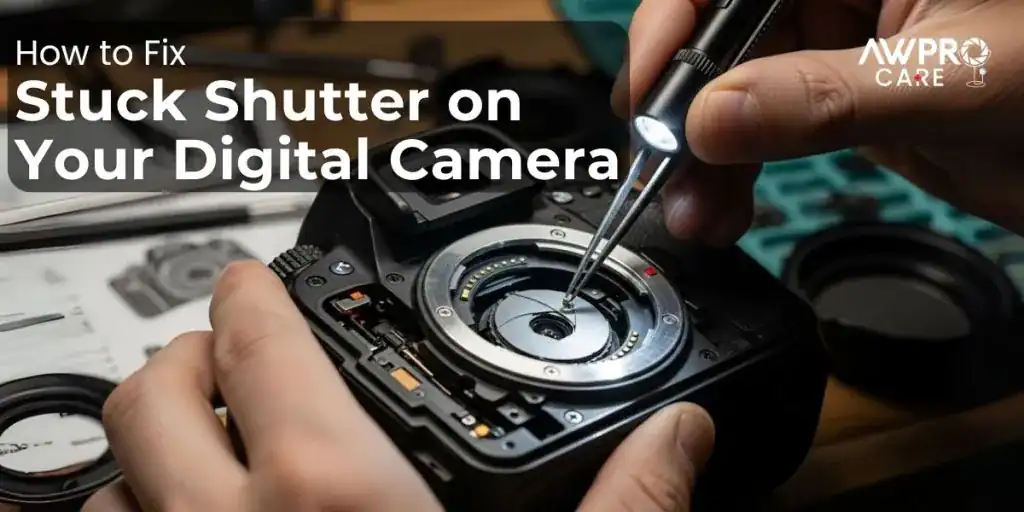
To prevent future issues, you must treat the camera as a precision instrument. If you’re shooting in a dirty place, keep the lens cap on or store the camera in a sealed bag when not in use. Use a high-quality SD card and format it regularly to prevent file system errors.
| If you’re doing this | Do this instead | Why |
|---|---|---|
| Leaving the camera on | Turn it off when not in use | Prevents sensor overheating |
| Using old, cheap SD cards | Use high-speed name-brand cards | Reduces write errors and hangs |
| Changing lenses in dust | Use a protective body cap | Keeps debris away from shutter |
| Forcing the shutter open | Use the menu reset function | Avoids permanent mechanical damage |
Frequently asked questions
Can I manually push the shutter open?
No, you should never touch the shutter blades with your fingers or any tools. The blades are made of incredibly thin material that deforms with the slightest pressure. Once the shutter curtain is bent, it won’t track correctly, and the entire shutter assembly will require a professional replacement.
How long does a camera shutter last?
Most modern cameras are rated for 100,000 to 300,000 actuations depending on the model tier. If you have reached this number, the shutter has simply reached the end of its mechanical life. You can check your current shutter count by uploading a recent photo to an online shutter count tool or checking the metadata in your image editing software.
Is it safe to use the camera if the shutter is partially stuck?
No, you shouldn’t continue to use a camera with a stuck shutter because you risk damaging the sensor. If the curtain is physically caught, the motor will continue to draw power and may overheat. This can lead to a short circuit on the main board, turning a simple shutter repair into a total system failure.
Why does my camera show an error message?
An error message usually appears because the camera’s internal software detected that the shutter didn’t reach its expected position. This is the camera’s way of protecting itself from further damage. If the error persists after a battery reset, it confirms that the problem is a physical mechanical failure rather than a temporary software glitch.
How much does a professional shutter repair cost?
A professional shutter repair is generally inexpensive compared to the cost of replacing the camera, depending on the model and the availability of parts.
Conclusion
If these quick fixes don’t get your lens clicking again, it’s best to contact a professional repair shop. They’ve got the right tools to handle delicate internal parts without causing more damage. Don’t force the mechanism yourself, as you wouldn’t want to turn a small glitch into a permanent break.