Your mirrorless camera is a powerful tool for capturing stunning images, but even the best photos can be ruined by dust and smudges on your sensor. If you’ve noticed spots or marks on your pictures, it’s time to clean your sensor—but you might be worried about causing damage.
Don’t worry, this guide will walk you through simple, safe steps to clean your mirrorless camera sensor yourself. By the end, you’ll know exactly how to keep your camera’s sensor spotless and your shots flawless. Keep reading to protect your gear and improve your photos!
Why Sensor Cleaning Matters
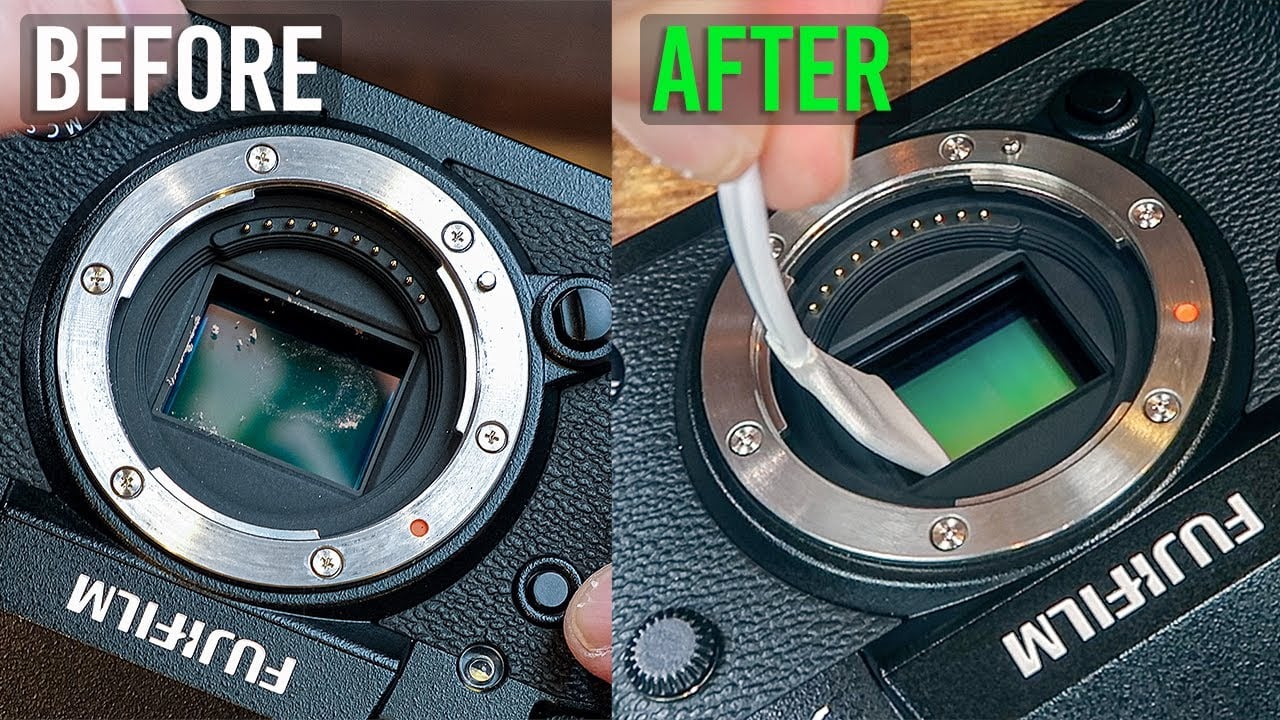
Keeping your mirrorless camera sensor clean is very important. The sensor captures all the light to create your photos. Dirt or dust on the sensor can spoil your pictures. Small spots can show as dark marks on your images. Regular cleaning helps keep your photos clear and sharp.
Impact On Image Quality
A dirty sensor lowers the quality of your photos. Dust spots appear as black or gray marks. These marks are more visible on plain backgrounds like sky or walls. They can ruin an otherwise perfect picture. Cleaning the sensor ensures your images stay crisp and clear.
Common Causes Of Sensor Dust
Dust enters the camera when you change lenses. This is the main reason for sensor dirt. Small particles float in the air and settle on the sensor. Using your camera in dusty places adds to the problem. Even tiny dust specks can affect photo quality.
Tools Needed For Cleaning
Cleaning your mirrorless camera sensor needs the right tools. Using the correct items protects your sensor from damage. It also helps you remove dust and dirt effectively. Below are essential tools that make sensor cleaning safe and easy.
Sensor Blower
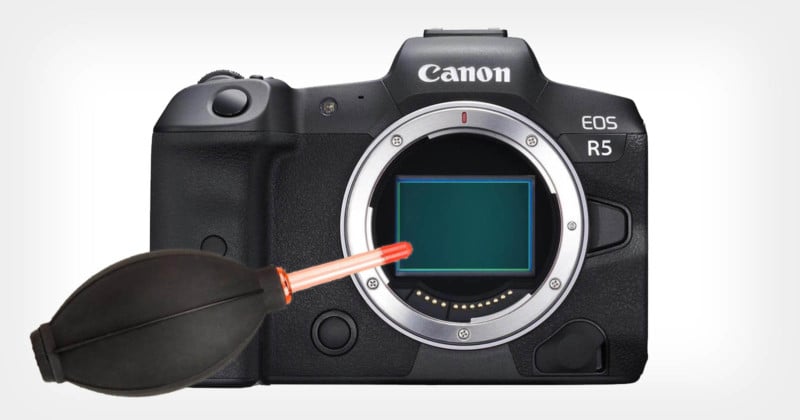
A sensor blower uses air to remove loose dust particles. It does not touch the sensor, so it is very safe. Use it before any wet cleaning to clear away dust. Avoid canned air; it can spray liquid onto the sensor.
Cleaning Swabs
Cleaning swabs are soft and designed for sensor surfaces. They come in different sizes to fit various sensor types. Use them gently to avoid scratching. Always use new swabs to prevent dirt from spreading.
Sensor Cleaning Solution
Sensor cleaning solutions help remove stubborn dirt and smudges. Use only solutions made for camera sensors. Apply a small amount to the swab, never directly on the sensor. This keeps the sensor safe while cleaning thoroughly.
Preparing Your Camera
Preparing your mirrorless camera for sensor cleaning is a vital first step. It helps avoid damage and ensures a smooth process. Proper preparation sets the stage for effective cleaning and protects your camera’s sensitive parts.
Choosing The Right Environment
Pick a clean, dust-free place to clean your sensor. Avoid windy or humid areas that bring dirt or moisture. A well-lit room helps you see dust spots clearly. Keep pets and fans away to stop dust from moving around. A calm, stable surface prevents accidental drops or knocks.
Setting The Camera For Cleaning
Turn off the camera before starting. Remove the lens carefully to avoid dust entering. Activate the sensor cleaning mode from your camera menu. This locks the mirror up and opens the shutter. It gives you easy access to the sensor. Use a fully charged battery to prevent shutdowns. Keep the camera steady on a flat surface during cleaning.
Step-by-step Cleaning Process
Cleaning your mirrorless camera sensor is important for clear photos. Dust and dirt on the sensor cause spots and blur. Follow these steps carefully. Use the right tools. Be gentle to avoid damage. This process keeps your camera working well.
Using The Air Blower
Start with an air blower to remove loose dust. Hold the camera with the sensor facing down. Use short bursts of air to blow away particles. Avoid using canned air. It can spray liquid and harm the sensor. Repeat a few times until dust clears.
Wet Cleaning Techniques
Use wet cleaning only if dust does not come off. Get special sensor cleaning swabs and sensor fluid. Apply a drop of fluid to the swab. Gently swipe the sensor from one side to the other. Use one side of the swab only once. If needed, use a new swab for a second pass.
Final Inspection
After cleaning, check the sensor for dust spots. Take a test photo of a white wall or sky. Zoom in to see if spots remain. If you see dust, repeat the air blower step. Avoid over-cleaning to protect the sensor. Keep the camera body closed when not cleaning.
Common Mistakes To Avoid
Cleaning your mirrorless camera sensor is delicate work. Many make mistakes that can damage the sensor or reduce image quality. Avoiding common errors keeps your camera safe and your photos sharp.
Using Compressed Air Cans
Compressed air cans may seem helpful for dust removal. They can spray liquid or cause strong bursts that harm the sensor. Dust might spread deeper inside the camera. Use a hand blower made for cameras instead.
Excessive Pressure
Pressing too hard during cleaning risks scratching the sensor. The sensor surface is very fragile. Use light, gentle strokes with a proper sensor swab or brush. Let the cleaning tools do the work, not force.
Ignoring Manufacturer Guidelines
Each camera brand has specific cleaning instructions. Ignoring these can void warranties or cause damage. Always read and follow the manual before cleaning. Use only recommended products and methods.
When To Seek Professional Help
Cleaning your mirrorless camera sensor can be a delicate task. Sometimes, the dirt or dust is minor and easy to remove. Other times, the sensor may have issues that need a professional touch. Knowing when to seek expert help can save your camera from serious damage.
Signs Of Sensor Damage
Spotting sensor damage early is important. Look for unusual marks or lines on your photos. Blurry or dark patches might also appear. If cleaning does not improve image quality, damage could be present. Do not try to fix cracks or scratches yourself. These issues require professional repair to avoid worsening the problem.
Cost Vs. Diy Cleaning
DIY cleaning kits are affordable and easy to use. They work well for light dust and smudges. Professional cleaning costs more but offers thorough service. Experts can fix deeper problems and prevent sensor harm. Consider the value of your camera. Expensive gear may justify paying for professional care. Choose wisely between saving money and protecting your investment.
Maintaining A Clean Sensor
Maintaining a clean sensor is key to getting sharp, clear photos. Dust and dirt on the sensor show up as dark spots in your images. Regular care helps avoid this problem. It also extends your camera’s life and keeps it working well. Simple habits and regular checks make sensor cleaning easier and safer.
Regular Cleaning Schedule
Set a regular time to check your sensor. Clean it only when spots appear on photos. Use a blower to remove dust gently. Avoid touching the sensor with your fingers. If dust stays, use sensor cleaning swabs carefully. Follow the instructions that come with cleaning tools. Do not clean too often. Over-cleaning can damage the sensor.
Protective Practices During Shoots
Change lenses quickly to limit sensor exposure. Point the camera down when changing lenses. Avoid dusty or windy places for lens changes. Keep the camera body cap on when no lens is attached. Store the camera in a clean, dry bag. Use a lens filter to protect the lens glass. These steps help keep dust from reaching the sensor.

Frequently Asked Questions
How Often Should I Clean My Mirrorless Camera Sensor?
Clean your sensor only when you notice dust spots on images. Frequent cleaning can damage the sensor. Inspect images regularly to decide the cleaning frequency.
What Tools Are Safe For Cleaning Camera Sensors?
Use a blower, sensor swabs, and specialized cleaning fluid. Avoid household cleaners or rough materials. These tools prevent sensor scratches and remove dust effectively.
Can I Clean The Sensor Myself Without Damage?
Yes, if you follow proper instructions and use correct tools. Be gentle and avoid touching the sensor directly. Self-cleaning saves cost but requires caution.
What Causes Dust On Mirrorless Camera Sensors?
Dust enters when changing lenses or from the environment. Sensor surfaces attract particles due to static electricity. Regular maintenance helps minimize dust accumulation.
Conclusion
Cleaning your mirrorless camera sensor keeps photos clear and sharp. Use gentle tools and avoid rushing the process. Regular cleaning helps prevent spots and dust in images. Always follow safe steps to protect your camera. Practice patience; a clean sensor improves your shooting experience.
Keep your gear ready for every photo opportunity. Simple care makes a big difference in picture quality.