
Choosing the right tool can turn a difficult home project into a simple task. When it comes to inspecting pipes, engines, or tight spaces, a borescope is one of the most useful devices you can own. But with so many models and features, finding the best borescope for home use can be confusing, especially if you are not a professional. Whether you want to check for leaks, retrieve lost items, or inspect behind walls, the right borescope can save you time and money. Let’s explore what makes a borescope great for home use, compare top products, and help you avoid common mistakes.
What Is A Borescope And How Does It Work?
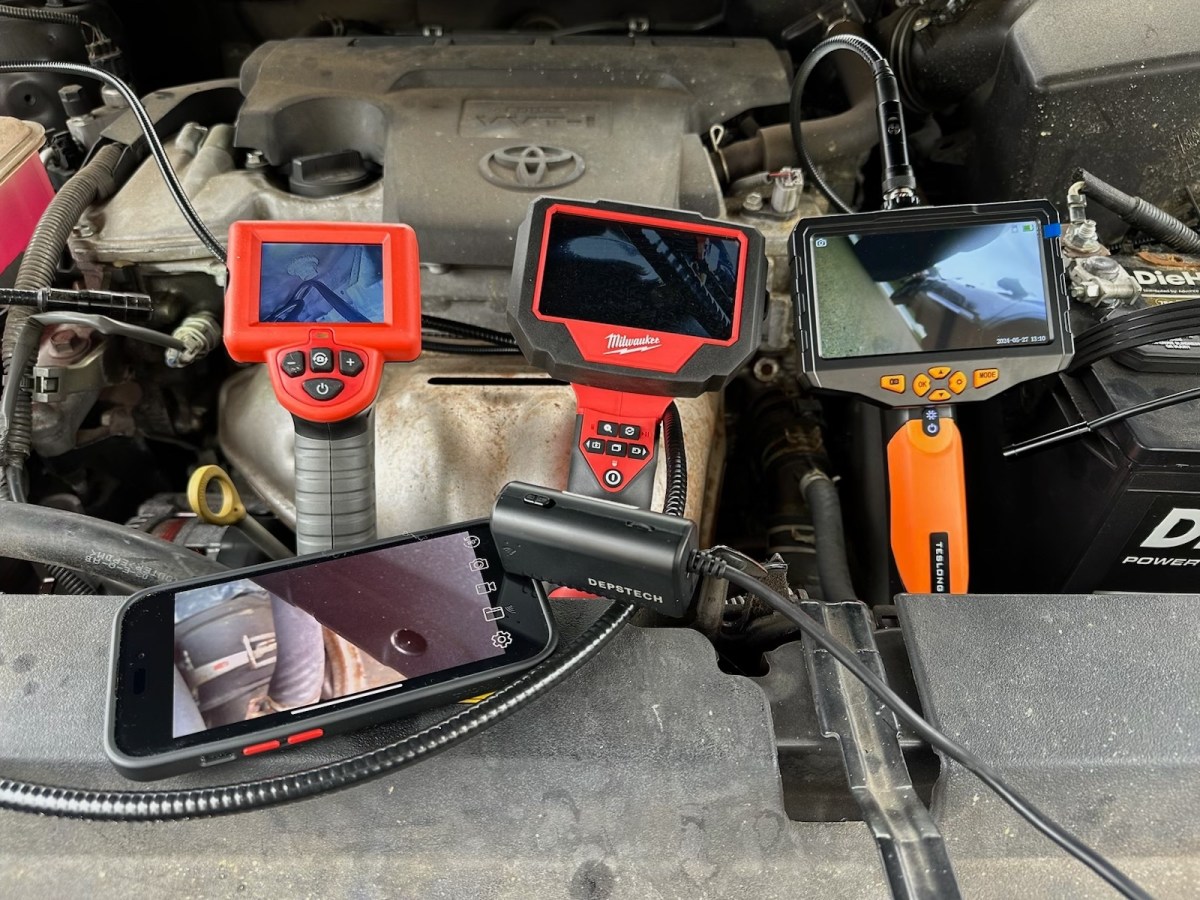
A borescope is a small camera on a flexible or rigid tube. You insert the tube into places you cannot reach or see directly, like inside pipes, air ducts, or car engines. The camera sends images or video to a screen, usually on your phone or a built-in display. This lets you inspect hidden areas without taking things apart.
There are two main types:
- Wired borescopes connect to a phone, computer, or their own display with a cable.
- Wireless (WiFi) borescopes send images to your phone through a wireless connection.
Some borescopes also have lights near the camera, making it easier to see in dark spaces.
Key Features To Consider Before Buying
Not all borescopes are the same. For home use, you want a tool that is easy, reliable, and fits your budget. Here are the most important features:
1. Image And Video Quality
Higher resolution means you can see small problems more clearly. Look for at least 720p HD for casual use, but 1080p or more is better for detailed inspection.
2. Length And Flexibility
A longer cable lets you reach deeper places. Most home jobs need a 3 to 5 meter cable. Make sure the tube is flexible but holds its shape.
3. Lighting
Good lighting is essential. LED lights near the camera help you see in dark spaces. Adjustable brightness is a plus.
4. Compatibility
Some borescopes connect only to certain phones or computers. Check if it works with iOS, Android, Windows, or Mac before buying.
5. Waterproof Rating
If you want to check pipes or drains, a waterproof camera (IP67 or better) is necessary.
6. Battery Life
Wireless models need recharging. Aim for at least 1-2 hours of working time per charge.
7. Accessories
Some borescopes come with helpful tools like hooks, magnets, or mirrors. These can help you grab lost items or view from different angles.
Top 5 Borescopes For Home Use In 2024
Based on user reviews, expert tests, and value for money, here are five top options for home users.
| Model | Resolution | Cable Length | Waterproof | Wireless | Price Range |
|---|---|---|---|---|---|
| DEPSTECH DS450 | 1080p | 5m | Yes (IP67) | No | $$ |
| Oiiwak 3.9mm Endoscope | 1080p | 5m | Yes (IP67) | No | $$$ |
| Skybasic Industrial Endoscope | 1080p | 5m | Yes (IP67) | No | $$ |
| DEPSTECH Wireless WiFi Endoscope | 1200p | 5m | Yes (IP67) | Yes | $$ |
| TESLONG NTS300 | 1080p | 3.5m | Yes (IP67) | No | $$$$ |
1. Depstech Ds450
The DEPSTECH DS450 is popular for its clear 1080p images and easy-to-use 4.3-inch screen. The 5-meter cable is stiff enough to push through pipes, but flexible for corners. With six adjustable LEDs and IP67 waterproof rating, it’s great for most home tasks like sink clogs or wall inspections. It does not need a smartphone, so you avoid connection issues. The battery lasts about 3 hours, which covers most jobs. One downside: it is not wireless, but this makes the connection more stable.
2. Oiiwak 3.9mm Endoscope
If you need to inspect very narrow spaces, the Oiiwak 3.9mm model stands out. The slim camera fits into tight spots like car spark plug holes or small pipes. The screen is small (2.8 inches), but the 1080p quality gives sharp details. The cable is also semi-rigid and waterproof. This model is a bit more expensive, but the smaller camera size is a big advantage for specific jobs. It comes with helpful accessories, but the shorter battery life (about 1 hour) is a limitation.
3. Skybasic Industrial Endoscope
The Skybasic model is a favorite for its balance of price and features. The 1080p camera, 5-meter cable, and waterproof design cover most home uses. The built-in screen means you do not need to connect to a phone. The user menu is simple, and the battery lasts about 2 hours. Some users note the camera focus is best at close distances (3-8cm). If you need to see further, look for a model with adjustable focus.
4. Depstech Wireless Wifi Endoscope
This is one of the best choices if you want to use your smartphone. The DEPSTECH Wireless Endoscope connects to both Android and iOS devices through WiFi. The camera gives clear 1200p images, and the cable is long and waterproof. The main advantage is flexibility: you can see everything on your phone and save photos or videos. The battery lasts about 2 hours. The main downside is the WiFi connection can sometimes lag or disconnect, especially if your phone is far away.
5. Teslong Nts300
If you want a professional-level tool at home, the TESLONG NTS300 is impressive. It has a large 4.5-inch screen, a tough cable, and very clear 1080p images. The camera head is metal, and the device can save photos and videos to a memory card. It also has a dual lens for better side views. The price is higher, but for home mechanics or people who use it often, the quality and durability are hard to beat.
How To Choose The Best Borescope For Your Needs
With many options available, it’s important to focus on what you really need. Here’s a decision guide to help:
| Need | Recommended Feature | Example Model |
|---|---|---|
| Checking pipes for clogs | Long, waterproof cable | DEPSTECH DS450 |
| Inspecting engines or machinery | Slim camera, high resolution | Oiiwak 3.9mm |
| Looking behind walls | Semi-rigid cable, LED lights | Skybasic Endoscope |
| Wireless viewing & saving photos | WiFi connection, phone support | DEPSTECH Wireless |
| Heavy, frequent use | Rugged build, large screen | TESLONG NTS300 |
Non-obvious insight: Many buyers focus on camera quality and forget about cable stiffness. A cable that is too soft may not push through long pipes or narrow spaces. Always check for “semi-rigid” or “stiff” cables for better control.
Another tip: If you want to record video, make sure the model can save to a memory card or connect easily to your phone.

Common Mistakes To Avoid
- Ignoring compatibility: Not all borescopes work with every phone or computer. Always check the supported devices before buying.
- Choosing too short a cable: A 1-meter cable may be fine for cars, but not for home pipes or wall inspections.
- Overpaying for features you don’t need: High-end models offer things like dual-lens cameras or large screens. If you only use it once a year, a basic model will do.
- Forgetting about after-sales support: Some brands offer better customer service and warranties. Check reviews for reliability.
- Not checking the waterproof rating: If you plan to use the borescope in wet areas, always look for IP67 or higher.
Practical Examples Of Home Borescope Use
- Plumbing: Find the reason for a slow drain or blockage before calling a plumber.
- HVAC: Check inside air ducts for mold or blockages.
- Car repairs: Look inside engine cylinders or under dashboards.
- Lost items: Retrieve dropped jewelry or screws from hard-to-reach places.
- Home inspection: Spot insect nests or water damage inside walls.

Maintenance And Care Tips
A borescope can last for years if you care for it properly.
- Clean the camera head after each use, especially if used in dirty or wet places.
- Store in a case to protect the cable and camera from dust or bending.
- Charge the battery fully before storage to keep it healthy.
- Update firmware if your model supports it for better performance and security.
Where To Buy And What To Expect
Most borescopes are available on Amazon, hardware stores, or specialty tool shops. Prices range from $40 to $150 for good home-use models. Professional versions can be more expensive. Expect to get a camera unit, cable, small accessories (hooks, mirrors), and a USB or charging cable. Some kits include a storage case.
For more in-depth information about borescopes and their history, check the Wikipedia Borescope page.
Frequently Asked Questions
What Is The Difference Between A Borescope And An Endoscope?
A borescope is mainly for non-medical use, like home or industrial inspection. An endoscope is a medical tool for looking inside the human body. The terms are sometimes used for similar devices, but their main uses are different.
Can A Borescope Damage Pipes Or Electronics?
If you use a semi-rigid cable gently, it will not damage pipes or wires. Never force the camera into very tight or sharp turns. Always follow the device’s safety instructions.
How Do I Connect A Wireless Borescope To My Phone?
Most wireless models create their own WiFi network. You connect your phone to this network, then open the app recommended by the manufacturer. Detailed steps are in the product manual.
Are Borescopes Safe For Use In Water?
Only use a waterproof borescope (at least IP67 rating) in wet areas. Non-waterproof models can be damaged and may be dangerous if used in water.
Can I Record Video And Take Photos With All Borescopes?
Most modern borescopes let you take pictures and record videos. Some save directly to a memory card, others use your phone. Check the product features before buying to be sure.
Finding the best borescope for home use comes down to knowing your needs, comparing key features, and avoiding common mistakes. A good borescope will make home inspections easier, help with repairs, and even save you money in the long run.
Choose wisely and your next home project will be much simpler.

