Capturing distant moments has never been easier, thanks to the zoom capabilities in modern camcorders. But with terms like optical zoom and digital zoom everywhere, it’s easy to get confused. Are they the same? Which one is better for clear videos? Understanding the difference is not just for tech experts—anyone who wants great video quality should know how these two zoom types work, and when to use them.
This guide will explain optical zoom vs digital zoom in camcorders in plain English. You’ll see how each works, their advantages and limits, and how they affect your videos. Whether you’re buying your first camcorder or want to get the best from your current one, you’ll find clear advice here.
What Is Optical Zoom?
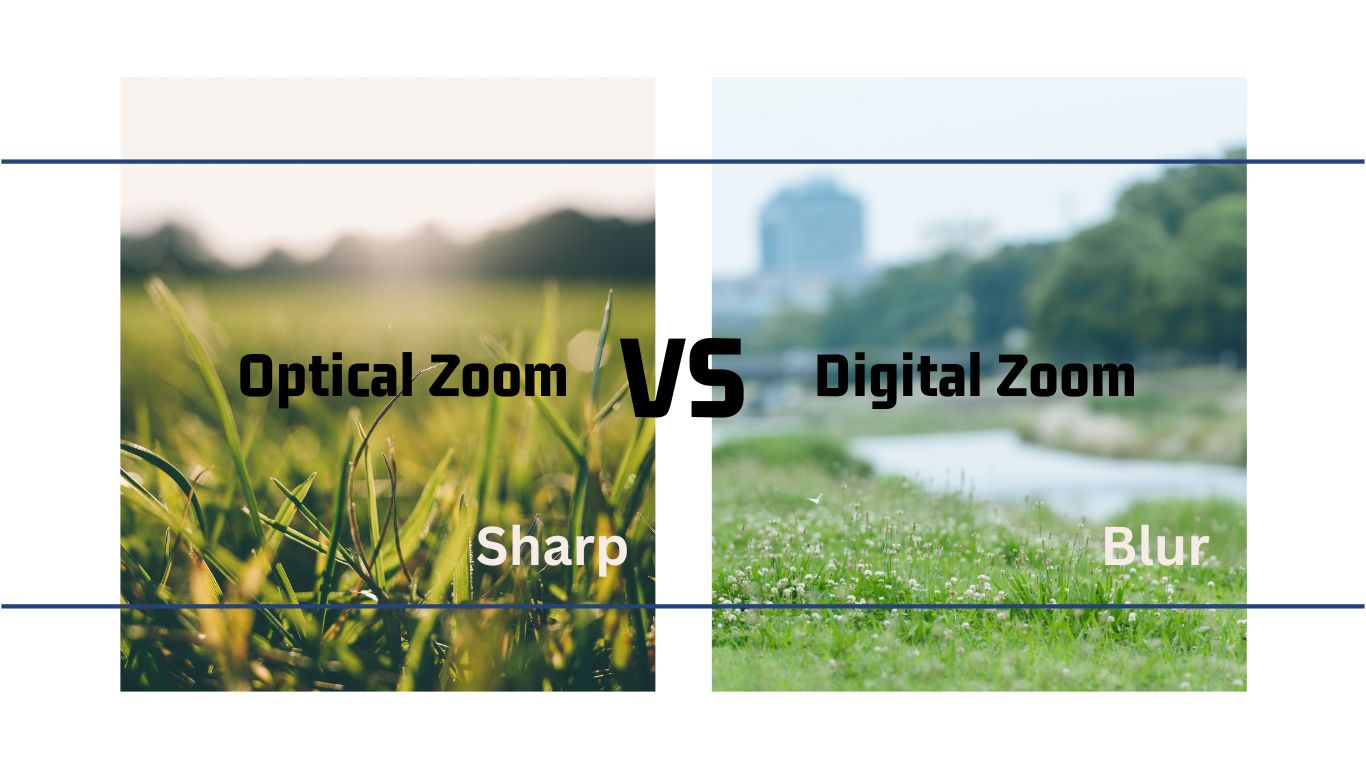
Optical zoom uses the camcorder’s physical lens to bring distant subjects closer. It’s like looking through binoculars—moving the glass elements inside the lens makes the image bigger before it reaches the sensor.
For example, a camcorder with a 10x optical zoom can make a subject appear ten times closer than with no zoom. If you’re filming wildlife or sports, this lets you fill the frame with your subject, keeping details sharp.
How Optical Zoom Works
When you use optical zoom, the camera’s lens elements move. This changes the focal length and magnifies the image, projecting a larger version onto the sensor. There’s no loss in image quality because the sensor gets the full detail from the lens.
Think of taking a photo of a bird in a tree. With optical zoom, you can zoom in and still see the bird’s feathers and colors clearly.
Key Benefits Of Optical Zoom
- True image quality: The image stays sharp and clear, even when zoomed in.
- No pixelation: You won’t see blocky or blurry areas, because you’re not just enlarging pixels.
- Better for low light: Optical zoom lets in more light compared to digital zoom, so you get less noise.
Optical Zoom Range
Camcorders offer different optical zoom ranges, from 3x to even 50x or more. Higher numbers mean you can zoom further without losing detail. However, extreme zooms (like 60x) can make the camcorder harder to hold steady, so a tripod helps.
What Is Digital Zoom?
Digital zoom is different. Instead of using the lens to magnify the image, it crops the picture on the camera’s sensor and then enlarges the remaining pixels to fill the frame. This works like zooming into a photo on your phone—after a point, things get blurry.
For example, if your camcorder has a 20x digital zoom, it can make the subject look twenty times closer, but most of that zoom happens by cutting out the edges and stretching the center part.
How Digital Zoom Works
When you activate digital zoom, the camcorder takes a smaller part of the sensor’s image and expands it. This means you keep fewer original pixels, and the camera has to “guess” the new pixels by copying or blending existing ones.
This process is called interpolation.
Downsides Of Digital Zoom
- Loss of detail: Images become softer or pixelated as you zoom in.
- More noise: Digital zoom can make grain or noise worse, especially in low light.
- Artificial look: Edges can look jagged or unnatural because the camera is enlarging a cropped image.
When Is Digital Zoom Useful?
Digital zoom can help if you really need to get closer and have no other option. For example, if you’re recording from a fixed spot and the subject is far away. But using it too much often makes videos look unprofessional.
Key Differences: Optical Zoom Vs Digital Zoom
The main difference is how each zoom method brings you closer to the subject. To help you see this clearly, here’s a direct comparison:
| Feature | Optical Zoom | Digital Zoom |
|---|---|---|
| How it works | Moves lens elements | Crops & enlarges image |
| Image quality | Remains high | Degrades with zoom |
| Zoom range | Usually lower (e.g., up to 50x) | Can be very high (e.g., 1000x) |
| Low-light performance | Better | Poorer |
| Best use case | Capturing detail far away | Last resort when optical is maxed |
Why Optical Zoom Matters More For Video Quality
If you want clear, sharp footage, always use optical zoom as much as possible. Because the lens does the work, you keep the full quality of your camcorder’s sensor. This is especially important for:
- Recording important events (weddings, graduations)
- Nature and wildlife videos
- Sports and action shots
Experienced videographers avoid digital zoom unless necessary. The difference is often clear when you watch the video on a big screen—digital zoom looks fuzzy, while optical zoom stays crisp.
Real-world Examples
Let’s see how this works with real camcorders:
- Canon VIXIA HF R800: 32x optical zoom, 57x advanced zoom (mix of optical and digital), 1140x digital zoom. At 32x, video looks sharp. By 1140x, faces and objects are blocky.
- Sony FDR-AX53: 20x optical zoom, 30x clear image zoom (Sony’s version of enhanced digital zoom). Up to 20x, footage is clear, but after that, fine details fade.
- Panasonic HC-V180K: 50x optical zoom, 90x intelligent zoom (optical plus digital). Videos up to 50x are usable, but after, trees and textures blur together.
How To Choose The Right Zoom For Your Needs
If you’re shopping for a camcorder, here are some points to consider:
- Prioritize optical zoom: Look for the highest optical zoom you can afford, not digital zoom numbers.
- Check zoom smoothness: Some camcorders have jerky zoom motors. Smooth zooming helps create professional-looking videos.
- Image stabilization: High optical zoom can make small hand movements obvious. Built-in stabilization helps keep footage steady.
- Sensor quality: A good sensor + optical zoom gives best results. Don’t rely on digital zoom to “fix” a weak sensor.
- Digital zoom as backup: It’s okay if your camcorder offers digital zoom—just use it only when optical zoom can’t reach.
Common Misunderstandings About Zoom
Many buyers get confused by marketing claims. Here are two common traps:
- “1000x zoom!” This number refers mostly to digital zoom. The real image quality is only as good as the optical zoom number.
- “Digital zoom is just as good now.” Even with new tech, digital zoom still can’t match the clarity of optical zoom. Some brands use smart processing, but you still lose detail.
How Zoom Affects Your Video Editing
If you plan to edit your videos later (add effects, crop, or stabilize), starting with the highest quality footage is key. Using too much digital zoom gives you less detail to work with, limiting your editing options. With optical zoom, you keep more detail and flexibility.
For example, if you record a graduation and later want to crop closer to your child’s face, optical zoom footage will look clean. If you used digital zoom, the cropped video may look rough and grainy.
Tips For Using Zoom In Camcorders
Getting the best from your camcorder’s zoom isn’t just about numbers. Here are some practical tips:
- Use a tripod at high zoom levels. Even small shakes look big when zoomed in.
- Zoom slowly and smoothly. Fast zooms can make your video hard to watch.
- Stay within optical zoom for important shots. Only use digital zoom if you can’t get closer by moving.
- Know your camcorder’s limits. Test how far you can zoom before video quality drops.
- Clean your lens. Dirt or fingerprints show up more with zoom.
The Role Of Image Stabilization
When zooming in, especially with high optical zoom, even tiny hand movements cause shaky video. That’s where image stabilization comes in. Optical image stabilization moves lens elements to counteract shakes, while digital stabilization adjusts the image digitally.
Good stabilization is essential for smooth, watchable video at long zooms. If your camcorder offers both optical zoom and optical image stabilization, you’re set for clear, steady results.

Digital Zoom In Smartphones Vs Camcorders
Many people wonder if their smartphone’s digital zoom is just as good as a camcorder’s. In reality, smartphones rely almost entirely on digital zoom, which means the same problems: loss of detail and more noise. Camcorders, with their larger optical zoom lenses, have a big advantage for distant subjects.
To see the difference, try zooming all the way in with your phone, then compare to a camcorder with 20x optical zoom. The camcorder will show clear lines and colors, while the phone image is often soft and pixelated.
Practical Insight: When Digital Zoom Can Help
There are moments when digital zoom is still useful:
- Security footage: If you need a closer look, even a blurry image might help identify someone.
- Quick sharing: For social media or small screens, slight digital zoom may look fine.
- No other option: If you can’t move closer and need the shot, a little digital zoom is better than nothing.
Just remember: for anything important, try to stay within optical zoom.
Looking Ahead: The Future Of Zoom Technology
Camera makers are always improving digital zoom, using smarter algorithms and higher-resolution sensors. Features like “Clear Image Zoom” or “Intelligent Zoom” promise better results, but the laws of optics still matter. As of now, optical zoom is still the gold standard for video quality.
If you want to see how the technology is advancing, check out Wikipedia’s page on zoom lenses for up-to-date info.
Frequently Asked Questions
What Does “10x Optical Zoom” Mean?
10x optical zoom means the camcorder’s lens can make a subject appear ten times closer compared to its widest setting, using only the lens. This gives you clear, sharp images even at maximum zoom.
Is Digital Zoom Always Bad For Video Quality?
Not always, but using too much digital zoom will reduce clarity and sharpness. For casual use (like sharing on social media), a little digital zoom is okay. For important memories or professional work, avoid it.
Can I Improve Digital Zoom Results In Editing?
You can sometimes sharpen or clean up digital zoom footage in editing, but you can’t add lost detail back. It’s always better to start with optical zoom for the best results.
Why Do Some Camcorders Advertise Very High Zoom Numbers?
High numbers like “500x zoom” include digital zoom. Only the optical zoom number reflects real image quality. Always check the specs for the optical zoom value.
Should I Disable Digital Zoom In My Camcorder?
If your camcorder allows it, disabling digital zoom ensures you only use optical zoom, keeping your videos sharp. Some models let you set a limit so you don’t accidentally go into digital zoom.
Capturing life’s moments is easier when you understand how your camcorder’s zoom works. By focusing on optical zoom, using digital zoom carefully, and knowing your camera’s strengths, you’ll record videos you’re proud to share—clear, sharp, and full of detail.