
A borescope is a powerful tool that lets people see inside spaces that are usually impossible to view. Mechanics, engineers, plumbers, and even DIY enthusiasts use borescopes to inspect engines, pipes, walls, and more. But as technology improves, many people ask: Can a borescope record video and take pictures? The answer is yes, but there are important details to understand. This article explores how borescopes capture images and video, what features to look for, and how to choose the right model. If you want to make smarter inspections and save time, keep reading.
What Is A Borescope?
A borescope is a camera on a long, flexible or rigid tube. At one end, there is a tiny lens and a light source. At the other end, you find a handle and a screen or a connection to a phone or computer. Borescopes let you look inside machines, walls, or small spaces without taking things apart.
There are two main types:
- Rigid borescopes: Straight and sturdy, used for short, straight paths.
- Flexible borescopes (or fiberscopes): Can bend and turn around corners.
Today, many borescopes have digital cameras that can record what they see.
Can A Borescope Record Video And Take Pictures?
Most modern borescopes can record video and take pictures. Here’s how this works in practice:
- The camera inside the borescope sends live images to a display (either built-in or on your phone).
- With a simple button press, you can save a photo or start recording video.
- Files are stored on a memory card, internal memory, or sent straight to a connected device.
Not all borescopes have these features. Some older or very basic models only show a live image and cannot save it. If capturing images or video is important, always check the product details.
Why Is This Feature Important?
- Documenting Inspections: Images and videos help you show proof of a problem or share findings with others.
- Tracking Changes: You can compare photos over time to see if an issue is getting worse or fixed.
- Training and Communication: Videos are useful for teaching new workers or explaining problems to clients.
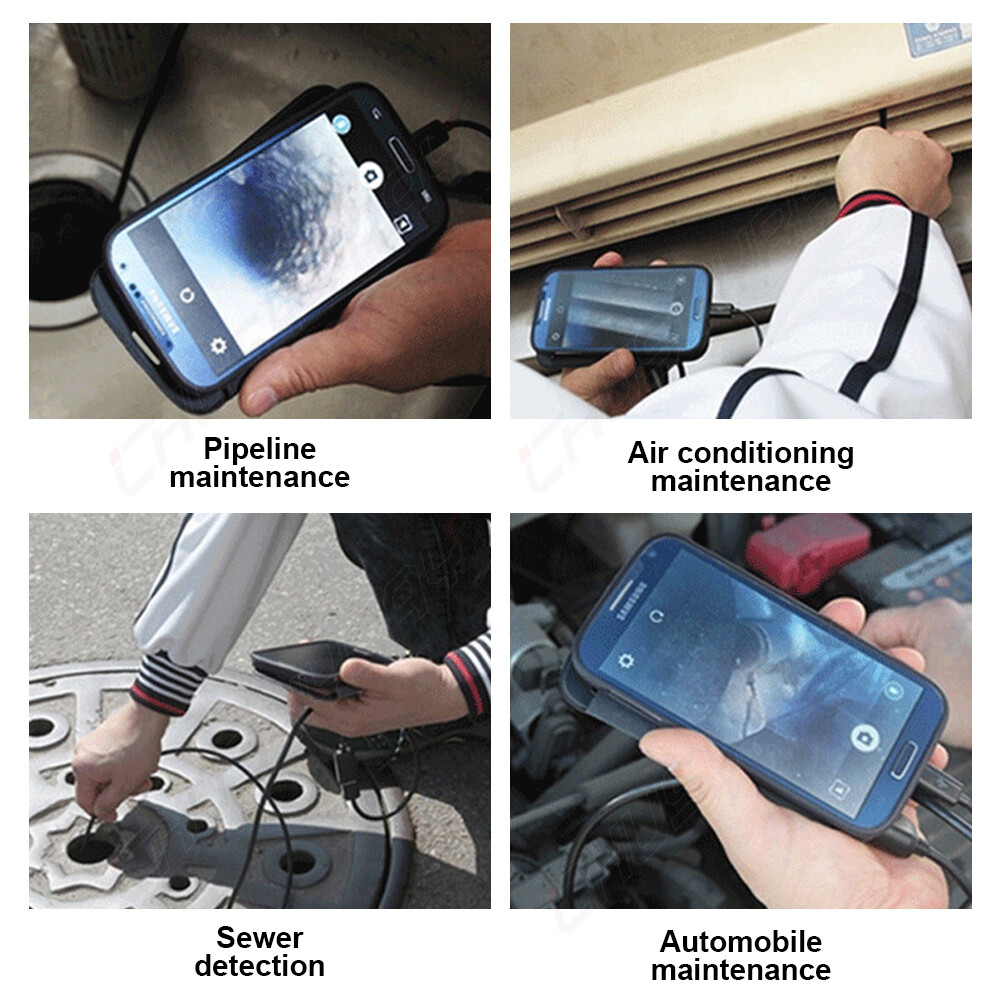
How Borescopes Capture Images And Video
The process involves several steps and components:
Camera Module
The camera at the tip of the borescope captures images. Most use a CMOS sensor (the same type found in phone cameras) for good image quality.
Lighting
A small LED light or multiple LEDs around the camera make dark spaces bright enough for clear pictures and video.
Control And Storage
- Buttons: Many borescopes have buttons on the handle to snap photos or start/stop video.
- Screen: Some models have built-in screens to view images live.
- WiFi or USB: Others connect to your phone or computer, letting you view and save files instantly.
Storage Options
- Internal memory: Built-in storage inside the borescope.
- SD card: Many models use microSD cards (often 8GB–64GB).
- Direct to device: Some borescopes send pictures and videos straight to your phone or computer.
Comparing Borescope Features
Understanding the differences between borescope models will help you choose the best tool for your needs.
| Feature | Basic Borescope | Advanced Borescope |
|---|---|---|
| Live View | Yes | Yes |
| Photo Capture | Sometimes | Yes |
| Video Recording | Rarely | Yes |
| Built-in Screen | No/Small | Yes/Large |
| WiFi/USB Connection | No | Yes |
| Storage | None/Internal | SD Card/Large Internal |
Non-obvious insight: Many buyers think all borescopes can record, but older or cheaper models may only offer a live view. Always check before buying.
Choosing A Borescope: What Matters Most
When buying a borescope for taking photos or videos, consider these factors:
1. Image And Video Quality
Look for the resolution of the camera. Many good models offer 720p or 1080p video, which is clear enough for most inspections. Some advanced models offer even higher resolution.
2. Lighting
Strong, adjustable LED lighting makes a big difference in dark places. More LEDs usually mean better visibility.
3. Cable Length And Flexibility
Choose a cable long enough for your needs (common lengths: 1 meter to 5 meters). Flexible cables reach around corners and bends.
4. Storage Capacity
If you need to record long videos or take many pictures, pick a model with a larger SD card or internal memory.
5. Screen Or Connectivity
Some models have built-in screens. Others use WiFi or USB to show images on your phone or laptop. Built-in screens are good for quick checks, while WiFi models let you save and share images easily.
6. Waterproof Rating
For plumbing or outdoor use, check the IP rating (for example, IP67 means waterproof).
7. Battery Life
Longer battery life is important if you’ll use the borescope for long inspections.
8. Compatibility
If you want to record to a phone or computer, check that the borescope supports your device (Android, iOS, Windows, Mac).
Beginner tip: Don’t buy the cheapest model. A slightly better camera and more LEDs make a huge difference in what you can see and record.
Real-world Examples: How Video And Photo Recording Help
Automotive Repairs
Mechanics use borescopes to look inside engines or behind dashboards. Taking a photo or video means they can show customers the exact problem, such as a crack or leak.
Home Inspections
Inspectors use borescopes to check inside walls, ceilings, or pipes. Photos and videos provide evidence for reports and insurance claims.
Industrial Maintenance
Engineers often need to document wear or damage inside machines. High-quality video helps track changes over time and plan repairs.
Diy And Hobby Use
Homeowners and hobbyists can use borescopes to find lost items, check for mold, or inspect small spaces. Photos and videos make it easy to ask for help or remember what you found.
How To Record And Save With A Borescope
The process is simple but can vary between models:
- Turn on the borescope and insert it into the inspection area.
- Adjust lighting as needed.
- Watch the live image on the screen or your phone.
- Press the photo button to take a picture or the video button to start recording.
- When finished, press stop. Files are saved to the SD card or your device.
- Remove the SD card or connect the device to your computer/phone to view, copy, or share the files.
Pro tip: Always check that your SD card is inserted correctly and has enough space before starting an inspection.
Limitations And Common Issues
While most modern borescopes record video and take pictures, there are some limits:
- Image Quality: Lower-cost models may have blurry or grainy images. Reading small labels or spotting fine cracks can be hard.
- File Size: High-quality video uses a lot of storage. Long inspections may fill up a small SD card quickly.
- Battery Life: Recording video uses more battery than just viewing. Bring a spare battery for long jobs.
- Compatibility Problems: Some WiFi borescopes do not work with all phones or computers. Always check the app or driver support.
Beginner mistake: Forgetting to check battery and storage before starting an inspection. Always prepare before you begin.
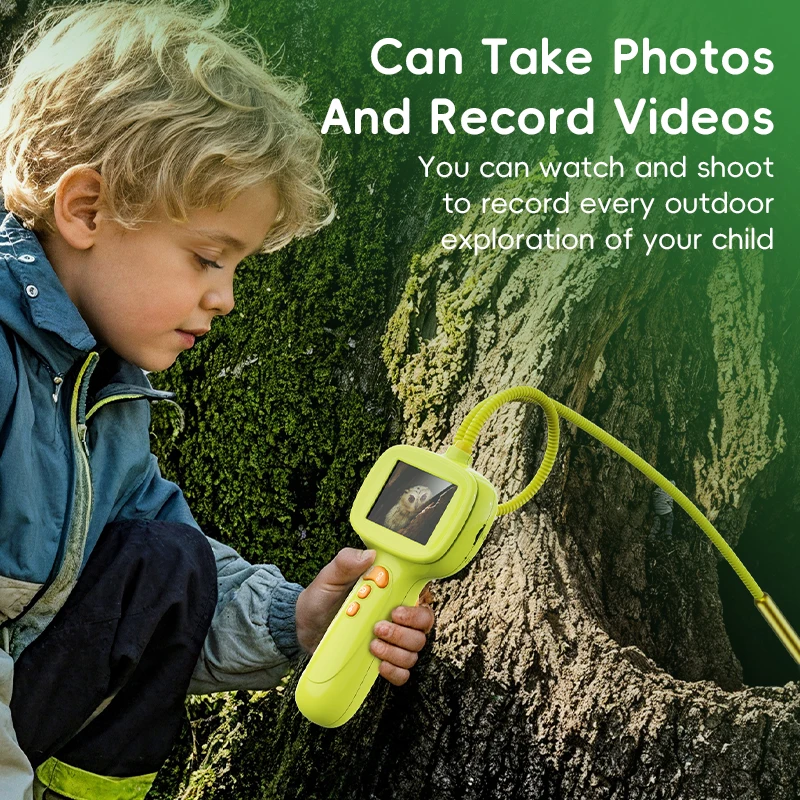
Data Table: Popular Borescope Models With Photo/video Features
Here is a comparison of three popular borescopes with their key features:
| Model | Resolution | Screen | Storage | Waterproof | Photo/Video |
|---|---|---|---|---|---|
| DEPSTECH DS450 | 1080p | 4.3″ LCD | 32GB SD Card | IP67 | Yes/Yes |
| Oiiwak Industrial | 1080p | None (WiFi to phone) | SD Card | IP67 | Yes/Yes |
| Teslong NTS300 | 720p | 4.3″ LCD | 32GB SD Card | IP67 | Yes/Yes |
Best Practices For Using Photo And Video Features
- Keep the lens clean for sharp images.
- Use strong lighting in dark spaces, but avoid too much glare.
- Hold the camera steady when taking pictures or video.
- Label your files after each inspection to stay organized.
- Review recordings before leaving the site to make sure you captured everything needed.
When You Might Not Need Recording Features
Some users only need a live view, such as for a quick look or when checking for blockages. If you don’t need to save or share findings, a simple, cheaper borescope might be enough. However, for any professional use or long-term tracking, being able to record is a must.
Legal And Privacy Issues
When recording inside someone’s property or workplace, always ask for permission. In some areas, recording without consent can be illegal. Be respectful of privacy, especially in homes and businesses.

How To Transfer And Share Images And Videos
After recording, you can:
- Remove the SD card and use a computer to copy files.
- Connect the borescope to your phone or laptop via USB.
- Use a WiFi connection and the companion app to transfer files wirelessly.
Most borescopes save images as JPG files and videos as MP4 files, which are easy to share by email or upload to cloud storage.
The Future Of Borescopes: Ai And Smart Features
Newer borescopes are starting to use artificial intelligence (AI) for automatic defect detection. Some models can tag images or videos with notes or even create reports. As prices drop, even more advanced features will become common, making inspections faster and more accurate.
For more technical details, see this Wikipedia article on borescopes.
Frequently Asked Questions
Can All Borescopes Record Video And Take Pictures?
No, not all borescopes have these features. Many modern digital borescopes do, but some older or basic models only offer live viewing. Always check the product specifications before buying.
How Much Storage Do I Need For Recording?
A 32GB SD card can store several hours of 1080p video or thousands of photos. Higher resolution videos use more space. If you inspect often, get a model with removable or large storage.
Is The Image Quality Good Enough To See Small Details?
Most 1080p borescopes can show cracks, corrosion, or small objects clearly. However, cheaper models with lower resolution may have blurry images. For professional use, invest in better image quality.
Can I Use A Borescope With My Smartphone?
Yes, many borescopes connect to smartphones via WiFi or USB. Check if the model is compatible with your phone’s operating system and download the correct app.
Are There Any Safety Or Privacy Concerns?
Yes. Always ask permission before recording in someone’s home or workplace. Do not record sensitive or private areas without consent, as this may be illegal in some places.
Modern borescopes have changed inspections by making it easy to capture and share what you find. Choosing the right model with photo and video recording will help you work smarter and communicate better.

