Stabilizing Video While Using A Camcorder: A Complete Guide
Recording smooth video is a dream for anyone using a camcorder. Shaky footage can make even the best moments look unprofessional and hard to watch. Whether you are filming a family event, a travel vlog, or a school project, shaky hands or unexpected movements can ruin your video. But don’t worry—anyone can learn how to stabilize their shots with a few practical tips and the right gear. In this guide, you’ll discover proven methods to achieve steady, professional-looking video, no matter your experience level.
Why Video Stabilization Matters
Many people underestimate how much stability affects the quality of their videos. Even small shakes become very noticeable on big screens or when zoomed in. Unstable footage can distract viewers, cause motion sickness, and make your content look less credible. Viewers are more likely to enjoy and share videos that are smooth and easy to watch.
For example, a 2019 study by TechSmith found that 74% of viewers are more likely to finish watching a video if it’s smooth and stable. This is especially important if you want to share videos on platforms like YouTube, where competition for attention is high.
Understanding The Causes Of Shaky Video
To fix a problem, you need to know where it comes from. Here are the main reasons camcorder footage gets shaky:
- Hand movement – Even small hand shakes become amplified in video.
- Walking or running – Moving while recording adds more bumps and shakes.
- Zooming in – The more you zoom, the more sensitive your shot becomes to movement.
- Wind or vibrations – Outdoor environments or shooting from vehicles can create unwanted shakes.
- Low light – Slower shutter speeds make the camera more sensitive to movement.
Understanding these causes helps you choose the right stabilization techniques for each situation.
Built-in Stabilization Features On Camcorders
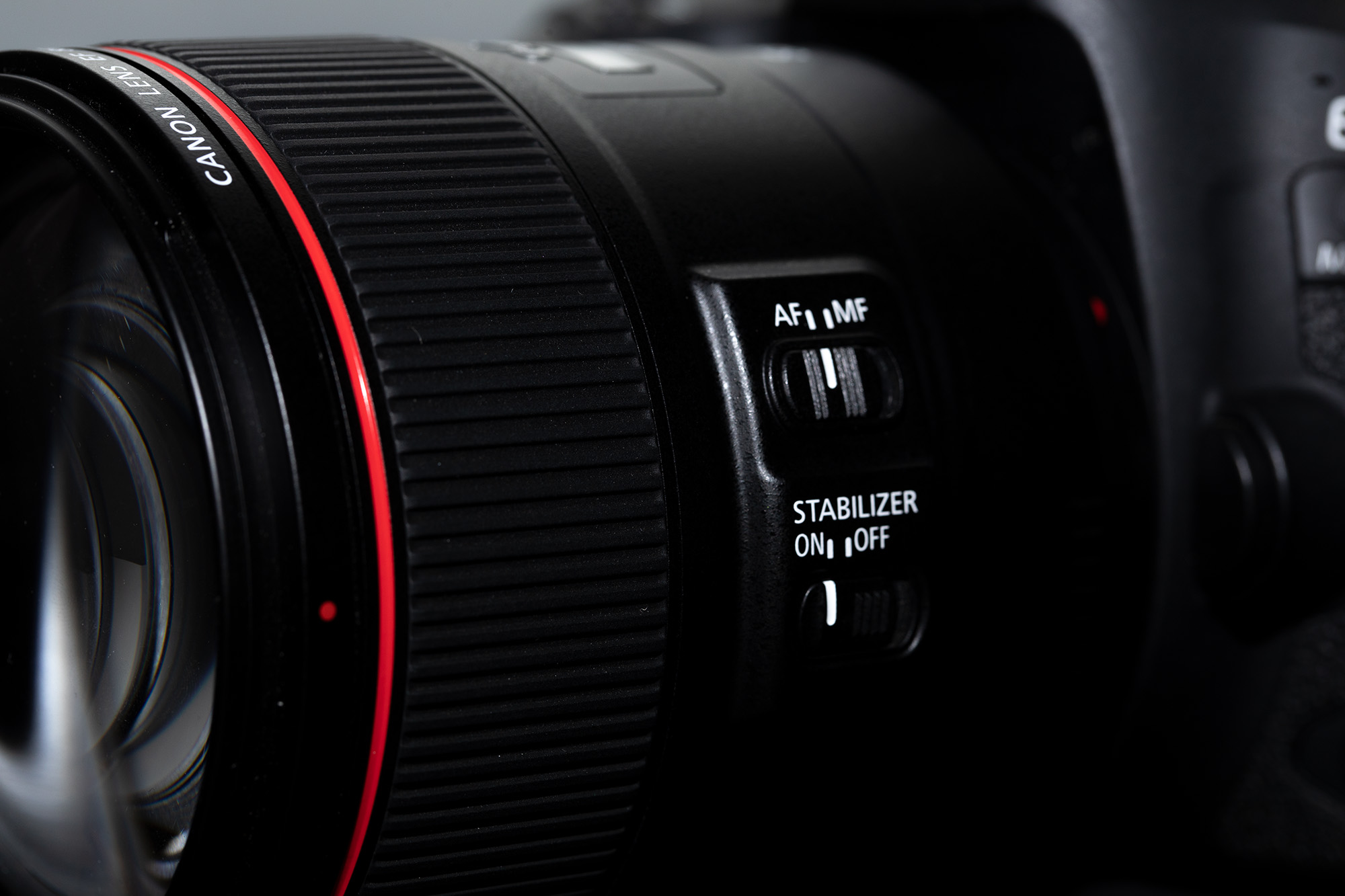
Most modern camcorders come with built-in stabilization systems. These can be a great first step for reducing shake, but it’s important to know how they work.
| Stabilization Type | How It Works | Effectiveness |
|---|---|---|
| Optical Stabilization (OIS) | Physical lens elements shift to counteract movement. | Very effective for hand shake and slow movements. |
| Electronic Stabilization (EIS) | Image sensors or software corrects for movement digitally. | Good for minor shakes, but can reduce image quality. |
| Hybrid Stabilization | Combines both optical and electronic methods. | Best overall performance, especially in new camcorders. |
Tip: Always turn on your camcorder’s stabilization setting before recording. Test both OIS and EIS (if available) to see which works better for your style.
Essential Shooting Techniques For Stability
Even with built-in stabilization, your shooting technique is critical. Here are practical ways to hold and move your camcorder for the smoothest results:
1. Two-handed Grip
Hold your camcorder with both hands. Place one hand under the camera body for support and use the other to operate controls. Keeping elbows close to your body helps reduce shakes.
2. Use Your Body As A Tripod
Stand with feet shoulder-width apart. Lean against a wall or tree for extra support. If you need to pan (move the camera side to side), rotate your whole upper body instead of just your arms.
3. Control Your Breathing
Take a deep breath, hold it gently, and exhale slowly as you record. This simple habit can minimize small shakes from your body.
4. Move Slowly And Deliberately
If you must walk, bend your knees slightly and take smooth, heel-to-toe steps. Imagine you’re carrying a full cup of coffee—move carefully and avoid sudden direction changes.
5. Avoid Zooming During Recording
If possible, set your desired zoom level before you start. Zooming while recording amplifies shakes and can be distracting for viewers.

Tripods, Monopods, And Other Supports
Physical supports are the most reliable way to stabilize your camcorder. Here’s a comparison of common options:
| Support Type | Pros | Cons | Best For |
|---|---|---|---|
| Tripod | Very stable, hands-free, precise pans/tilts | Bulky, slow to set up | Interviews, static shots, time-lapse |
| Monopod | Lightweight, quick setup, portable | Less stable than tripod, needs support | Sports, events, travel |
| Shoulder Rig | Good for moving shots, spreads weight | Can be heavy, learning curve | Documentaries, action scenes |
| Gimbal | Motorized, ultra-smooth movement | Expensive, battery-powered | Walking, running, dynamic shots |
Insight: Many beginners skip supports because they seem inconvenient. However, even a small tabletop tripod or a basic monopod can dramatically improve your footage. Consider lightweight options if you travel often.
Using Handheld Stabilizers And Gimbals
Handheld stabilizers and gimbals have transformed amateur video. They use counterweights or motors to keep your camcorder level, even if your hands shake.
Handheld Stabilizers
These are mechanical devices with weights and pivots. The Steadicam is a famous example. They require practice to balance, but once mastered, they let you walk and move smoothly.
Motorized Gimbals
Motorized gimbals use sensors and tiny motors to keep your camcorder steady. You simply hold the grip, and the gimbal does the rest. Some models can even follow faces or objects automatically.
Practical Example: If you are filming a wedding and want to walk down the aisle with the bride, a gimbal will keep your footage smooth, even if you have to move quickly.
Non-Obvious Tip: Always check the maximum weight your stabilizer or gimbal supports. Many beginners buy the wrong size and struggle with balance or battery life.
In-camera Settings That Help Stabilization
Your camcorder’s settings can also help you capture steadier video:
- Shutter Speed: Use a faster shutter speed (e.g., 1/1000 instead of 1/30) to reduce motion blur. This is especially helpful in bright light.
- Frame Rate: Shooting at a higher frame rate (60fps or above) makes movement look smoother and allows better results if you slow down footage in editing.
- Image Quality: Select the highest resolution and bit rate your camera allows. This gives you more detail and flexibility for editing later.
- Digital Zoom: Avoid digital zoom if possible, as it magnifies shakes and reduces image quality.
Expert Advice: Always test these settings in your shooting environment. A change that works indoors may not be best outdoors. Practice makes a big difference.
Editing And Post-production Stabilization
Even if you do everything right while filming, sometimes you need to fix shakes during video editing. Most modern software includes stabilization tools. Here’s how they compare:
| Software | Platform | Stabilization Feature | Difficulty |
|---|---|---|---|
| Adobe Premiere Pro | Windows/Mac | Warp Stabilizer | Intermediate |
| Final Cut Pro | Mac | Stabilization Tool | Intermediate |
| DaVinci Resolve | Windows/Mac/Linux | Stabilizer | Intermediate/Advanced |
| iMovie | Mac/iOS | Stabilization Slider | Easy |
Non-Obvious Insight: Digital stabilization in editing often crops your video to correct the frame. If you need to stabilize in post, shoot a little wider than needed to avoid losing important parts of your shot.

Advanced Tips For Pros And Enthusiasts
If you want to take your video stabilization to the next level, try these advanced techniques:
- Use a Fluid Head Tripod: This allows smooth pans and tilts, perfect for professional-looking movement.
- Lens Choice: Wider lenses are less sensitive to shakes. If possible, use a wide-angle lens for handheld shots.
- Add Weight: Heavier cameras are harder to shake. If your camcorder is very light, consider adding a small weight underneath.
- DIY Solutions: In emergencies, you can improvise with a string monopod (tie a string to your camcorder, step on it, and pull up for tension) or even balance your camera on a bag of rice for static shots.
Common Mistake: Don’t try to “fix it all in editing.” The best stabilization happens during filming, not after.
Real-world Scenarios: What Works Best
Let’s look at a few practical situations and what stabilization works best:
- Family events indoors: Use a tripod if possible. If not, use a two-handed grip and the camcorder’s built-in OIS.
- Travel vlogs: Monopods or handheld gimbals are best for moving shots.
- Sports or action: Motorized gimbals and wide-angle lenses help reduce fast motion shakes.
- Nature or wildlife: Tripods give you steady shots, especially with zoom lenses.
By matching your tools and techniques to the situation, you’ll always get better results.
Common Mistakes And How To Avoid Them
- Holding with one hand: Always use two hands for more control.
- Not checking stabilization settings: Many people forget to activate OIS or EIS.
- Ignoring camera weight: Very light camcorders shake more easily; consider a stabilizer.
- Zooming during recording: This magnifies all movement and should be avoided.
- Relying only on editing: Fix as much as you can while filming.
Quick Tip: Practice filming short, 30-second clips using different stabilization methods. Review them to see which techniques work best for you.
Final Thoughts
Achieving smooth, stable video with a camcorder is not just for professionals. Anyone can learn to improve their footage by understanding the causes of shake, using built-in features, practicing proven shooting techniques, and choosing the right gear. Even simple changes—like a better grip or a basic monopod—can transform your videos. Don’t be afraid to experiment and review your work to see what works best. The more you practice, the more natural steady shooting will feel. For further reading on video stabilization technologies, visit Wikipedia’s image stabilization page.
Frequently Asked Questions
What Is The Best Stabilization Method For Beginners?
For most beginners, using a tripod is the easiest and most effective way to stabilize video. If you need to move, try a simple monopod or activate your camcorder’s built-in stabilization.
Can I Stabilize Video After Recording?
Yes, you can use video editing software like Adobe Premiere Pro or iMovie to reduce shakes. However, this often crops your footage and may reduce quality. It’s best to stabilize while filming.
Are Gimbals Worth Buying For Camcorder Users?
If you shoot a lot of moving footage (like travel or action scenes), a gimbal can be a great investment. It gives smoother results than built-in stabilization alone, but basic shooting techniques are still important.
How Does Lens Choice Affect Video Stabilization?
Wide-angle lenses are less sensitive to shakes, so footage looks smoother. Zoom lenses magnify movement and need more stabilization support.
What Is The Difference Between Optical And Electronic Stabilization?
Optical stabilization moves lens elements to correct for shake, while electronic stabilization uses software to adjust the image. Optical usually gives better quality, but many new camcorders combine both for best results.
With these tips and strategies, you’re ready to capture steady, professional-looking videos with your camcorder—no matter the situation.