Can Camcorders Record Audio Separately?
If you’re interested in video production, you may wonder if camcorders can record audio as a separate file. This question is important for filmmakers, vloggers, teachers, and anyone who wants more control over their video and sound. Good audio can make your video look professional, while poor audio can distract viewers and lower the quality.
The way camcorders handle sound has changed over the years. In the past, recording audio separately was difficult unless you had expensive equipment. Now, with advances in technology, camcorders and accessories offer more options for capturing and managing sound. This article will explain everything you need to know about how camcorders record audio, what options you have for separate audio recording, and practical steps to get the best results.
How Camcorders Record Audio
Most camcorders are designed to record both video and audio at the same time. When you press the record button, the camera saves both streams together in a single file. The sound is usually picked up by a built-in microphone, but many camcorders let you plug in an external microphone for better quality.
The audio is synchronized with the video, which means the sound matches the picture frame by frame. This is called embedded audio. For many users, this is enough. But sometimes, you need the sound to be recorded on a separate track or file.
Built-in Vs. External Microphones
- Built-in microphones are convenient but often capture background noise or lack richness.
- External microphones can be connected through a 3.5mm jack or XLR input. These provide clearer, more focused sound, and may allow for recording on separate devices.
File Formats
Most camcorders save video in formats like MP4, AVCHD, or MOV. These formats include both video and audio in the same file. If you need only the audio, you usually have to extract it using software.
What Is Separate Audio Recording?
Separate audio recording means capturing sound on a different device or file, not directly in the same video file. This is often called dual-system sound. It gives you more control in editing because you can improve, clean, or replace the sound without affecting the video.
Film professionals often use this method. They use a digital audio recorder or field recorder with a high-quality microphone. Later, the audio is synced with the video using a clap, a slate, or special software.
Why Record Audio Separately?
- Higher sound quality: Dedicated audio recorders often capture richer, cleaner sound.
- More control in editing: You can fix audio issues without touching the video.
- Multiple microphones: You can record several people or sounds at once, then mix them later.
Can All Camcorders Record Audio Separately?
Not all camcorders are built to record audio as a completely separate file. Here’s how different types compare:
| Camcorder Type | Separate Audio Option | Typical Method |
|---|---|---|
| Consumer Handycam | No | Audio and video together |
| Semi-pro/Prosumer | Limited | Some allow external mic or line-in |
| Professional Broadcast | Yes | XLR, timecode sync, separate audio track |
| DSLR/Mirrorless (with video) | No (built-in), Yes (with external recorder) | Attach external audio device |
Most consumer camcorders do not have a built-in feature to save audio as a separate file. However, semi-pro and professional models sometimes offer separate audio channel recording, or at least higher control over sound inputs.
Methods For Recording Separate Audio With Camcorders
You can record audio separately even if your camcorder does not have a special feature for it. Here are practical ways to do it:
1. Using An External Audio Recorder
This is the most common and reliable method. You use a device like a Zoom H4n, Tascam DR-40, or Sony PCM series to capture audio while your camcorder records video.
Steps:
- Set up your camcorder as usual.
- Connect a microphone to the external audio recorder.
- Start both devices at the same time.
- Clap your hands or use a clapboard at the beginning to help sync audio and video later.
Tip: Always use fresh batteries in your audio recorder and check levels before filming.
2. Using A Camcorder With Multi-track Support
Some professional camcorders can record multiple audio tracks, sometimes from different microphones. You can later extract these tracks in editing.
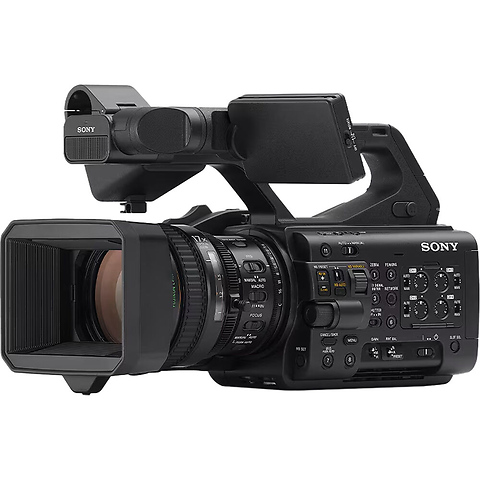
Example: The Canon XF series and Sony PXW series have dual XLR inputs and can record two or more separate channels.
3. Recording Audio Via Computer Or Smartphone
If you don’t have a field recorder, you can connect a microphone to a laptop or even a smartphone. Apps like Audacity (on PC/Mac) or Voice Record Pro (on iOS/Android) make this easy.
Steps:
- Place the device close to the speaker.
- Record audio while shooting video.
- Sync the sound in editing.
4. Wireless Microphone Systems
Modern wireless microphones (like Rode Wireless GO, Sennheiser AVX) can transmit audio directly to a portable receiver. The receiver can be plugged into the camcorder or a separate recorder.
Some systems let you record on both the transmitter (for backup) and the camera.
5. Using Audio Interfaces
For advanced setups, an audio interface can send sound to both the camera and a separate computer or recorder. This is used in studio productions or live events.
Syncing Separate Audio With Video
When you record audio and video separately, you need to synchronize them in editing. This is called audio syncing or “slating.” Here’s how it works:
The Clap Method
At the start of the recording, someone claps or uses a clapboard in view of the camera and near the microphone. This creates a sharp spike in the audio waveform. In editing, you match the spike in both the camera’s audio track and the external audio track.
Software Sync
Modern editing software like Adobe Premiere Pro, DaVinci Resolve, or Final Cut Pro can automatically sync audio using the waveforms. You select both files and let the software align them.
Timecode Sync
Professional camcorders and recorders can use timecode generators. This allows perfect sync by matching timestamps on both devices. However, this requires special equipment.
Benefits Of Recording Audio Separately
Recording audio separately gives you several advantages:
- Better Quality: Dedicated recorders have better preamps and less noise.
- Flexibility: You can use different microphones for different sounds.
- Backup: If one device fails, you still have audio from the other.
- Editing Power: You can adjust, clean, or replace audio tracks without affecting the video.
Drawbacks And Challenges
While separate audio recording is powerful, it comes with some challenges:
- Extra Work: You need to sync audio in editing, which takes time.
- More Equipment: Carrying a recorder, microphones, and cables is more work.
- Human Error: If you forget to press record on one device, you might lose audio.
A non-obvious problem is drift—if your camcorder and audio recorder do not keep perfect time, the audio can slowly go out of sync during long recordings. Using good equipment and checking sync points can help prevent this.
Common Mistakes To Avoid
Beginners often make these errors when trying to record audio separately:
- Not syncing at the start: Without a clap or slate, syncing becomes guesswork.
- Recording at different sample rates: Always use the same audio sample rate (like 48kHz) on both the camera and recorder to avoid drift.
- Forgetting backup: Use the camera’s built-in audio as a backup, even if it’s low quality.
- Ignoring monitoring: Always use headphones to check audio levels and background noise.
When Should You Record Audio Separately?
Recording audio separately is not always necessary. Here’s when you should consider it:
- Interviews: When sound clarity is important and background noise is a problem.
- Music or performance: When you need the best quality for instruments or voices.
- Dialogue in film: For professional results that can be edited and improved.
- Environments with lots of noise: So you can use noise reduction tools later.
For casual home videos, vlogs, or family events, the camcorder’s built-in system is often good enough.
Practical Example: Filming A Short Interview
Suppose you’re filming an interview for YouTube. You use a Sony camcorder and a Zoom H4n recorder.
- You place a lavalier microphone on the interviewee and connect it to the Zoom.
- The camcorder records video and its own audio using the built-in mic.
- You clap at the start for syncing.
- In editing, you match the clap sound and then replace the camcorder’s audio with the Zoom’s track.
This simple method gives you clear, professional sound without expensive equipment.
Comparing Audio Recording Methods
Here’s a quick comparison of the main methods:
| Method | Quality | Sync Needed | Cost | Skill Required |
|---|---|---|---|---|
| Built-in Mic (camera) | Low | No | None | Beginner |
| External Mic (camera input) | Medium | No | Low | Beginner |
| Separate Recorder | High | Yes | Medium | Intermediate |
| Timecode Sync | Highest | No (auto) | High | Advanced |
Tips For Better Audio Recording
- Choose the right microphone: Lavalier for interviews, shotgun for film, handheld for music.
- Monitor audio live: Use headphones to catch problems early.
- Test your setup: Record a short test before the main shoot.
- Keep background noise low: Turn off fans, close windows, and ask people to be quiet.
- Store files safely: Back up audio files as soon as possible.
An important insight: Sometimes, the simplest solution is to use both the camcorder and a separate recorder. This gives you a backup and options in editing.
Legal And Copyright Issues
If you record separate audio in public places or during events, be aware of local laws. Some areas require permission to record people’s voices. Also, avoid using copyrighted music or sounds unless you have the rights.
For more on audio copyright, visit the U.S. Copyright Office.
Frequently Asked Questions
Can I Extract Audio From A Camcorder Video File If I Forget To Record Separately?
Yes, you can use software like Audacity or Adobe Premiere Pro to extract the audio track from most video formats. However, the quality will only be as good as the original recording.
Does Recording Audio Separately Make A Big Difference?
Usually, yes. Separate audio recording with a good microphone and recorder produces cleaner, richer sound, especially in challenging environments.
How Do I Sync Separate Audio With Video If I Forget To Clap?
You can look for unique sounds or mouth movements in the video and match them with the audio waveform. Automatic syncing software can also help, but it’s less reliable without a clear sync point.
Can I Use My Smartphone As An External Audio Recorder?
Absolutely. Many smartphones, with a good recording app and microphone, can capture high-quality sound for interviews or vlogs. Just remember to start recording at the same time as the video.
What Is Audio Drift, And How Do I Prevent It?
Audio drift happens when the camera and audio recorder run at slightly different speeds, causing sync problems over long recordings. To reduce drift, use recorders with accurate clocks, set matching sample rates (like 48kHz), and resync during long shoots.
Getting good audio can make your videos stand out. While camcorders don’t always record audio separately by default, with the right tools and planning, you can capture professional sound for any project.