Camcorders have made video recording easy for many people. They are small, affordable, and simple to use. But if you are serious about making high-quality videos, you might wonder why professionals choose video cameras that cost much more. This article explores the main limitations of camcorders compared to professional video cameras. It covers everything you need to know, including image quality, control, audio, lens options, and more. By the end, you will understand when a camcorder is enough—and when you need to upgrade.
Understanding Camcorders And Professional Video Cameras
Both camcorders and professional video cameras are designed to record moving images, but they serve different users. Camcorders are made for general consumers—families, students, vloggers, and hobbyists. They focus on convenience and portability. Professional video cameras are built for filmmakers, broadcasters, and content creators who need the best possible footage and creative options.
Camcorders usually have everything built into one unit. Professional video cameras are modular, with interchangeable lenses, separate audio gear, and large sensors. This basic difference sets the stage for all the limitations discussed below.
Image Quality And Sensor Size
One of the biggest differences is the sensor size. The sensor is the part that captures light and turns it into a digital image. Larger sensors can capture more detail, handle low light better, and create a cinematic look.
Most consumer camcorders use small sensors, often 1/5 to 1/2.3 inches in size. Professional video cameras use much larger sensors, such as Super 35mm, APS-C, or even full-frame. Here’s a quick comparison:
| Device Type | Typical Sensor Size | Impact on Image |
|---|---|---|
| Camcorder | 1/5″ to 1/2.3″ | Less detail, more noise |
| Professional Camera | Super 35mm or larger | Sharper, better in low light |
This is why footage from a professional camera looks more cinematic, while camcorder video can appear flat or grainy, especially indoors or at night.
Limited Manual Controls
Camcorders are made for quick operation. Most settings are automatic: focus, exposure, white balance, ISO, and audio levels. While this is easy for beginners, it limits creative choices.
Professional video cameras offer full manual control. You can adjust:
- Shutter speed
- Aperture
- ISO
- White balance
- Focus
These settings let professionals handle tricky lighting, fast action, and artistic effects. For example, you can create soft backgrounds (shallow depth of field) or freeze motion. Camcorders rarely allow this much control.
Many beginners don’t realize how important manual settings are until they try to film a scene that needs adjustments. Relying only on automatic modes can ruin shots in changing light or with moving subjects.
Audio Recording Limitations
Good audio quality is crucial for professional video. Camcorders usually have built-in microphones, which pick up everything around the camera—including unwanted noise. Many lack professional audio inputs like XLR ports.
Professional video cameras offer:
- XLR inputs for external mics
- Phantom power for condenser microphones
- Manual audio gain control
- Headphone jacks for live monitoring
This allows for clean, rich sound, even in busy environments. With a camcorder, you’re often stuck with thin, echoey audio, which is hard to fix later.
| Audio Feature | Camcorder | Professional Camera |
|---|---|---|
| Built-in Mic | Yes | Rarely used |
| XLR Inputs | No | Yes |
| Manual Audio Control | Limited | Full |
If you plan to record interviews, documentaries, or events, poor audio is a hidden problem with camcorders.
Lens Flexibility And Image Effects
Most camcorders come with a fixed lens—you cannot remove or change it. The zoom range is often impressive, but you’re stuck with the same glass forever. Professional video cameras use interchangeable lenses, just like DSLRs.
With interchangeable lenses, you can:
- Use wide angles for landscapes or tight spaces
- Choose telephoto lenses for distant subjects
- Select fast prime lenses for blurry backgrounds
- Add specialty glass for creative effects
You can also use filters and adapters. Camcorders limit your creative vision because you cannot swap lenses as your project demands.
Low-light Performance
Shooting in low light is a real challenge for camcorders. Their small sensors and slow lenses mean more digital noise and blurry images. Professional video cameras, with their large sensors and fast lenses, excel in dim settings—concerts, night scenes, or indoor events.
You will notice:
- Cleaner, brighter footage with pro cameras
- Camcorders struggling with colored spots or grain
- Loss of detail in shadows
Many beginners overlook this until they shoot a wedding or birthday party indoors, and the footage looks worse than expected.
Recording Formats And Bitrates
Camcorders often record in heavily compressed formats like AVCHD or MP4. This saves space but reduces detail and makes editing harder. Professional cameras allow for high bitrate and less-compressed formats like ProRes, DNxHD, or RAW.
Why Does This Matter?
- Higher bitrates mean more data per second, so colors look better
- Less compression preserves details for editing and color grading
- RAW video gives full control in post-production
A camcorder’s video file may look good at first but falls apart when you try to edit, color-correct, or add effects.
Connectivity And Storage Options
Professional video cameras offer a range of outputs and storage options:
- SDI, HDMI, or even fiber outputs for live production
- Dual card slots for backup recording
- Network control or streaming features
Camcorders usually have just one SD card slot and basic USB or HDMI out. This limits their use in multi-camera setups or live streaming.
| Feature | Camcorder | Professional Camera |
|---|---|---|
| Dual SD Slots | No | Yes |
| Live Output | Limited (HDMI) | SDI/HDMI/Fiber |
| Remote Control | No | Yes |
Many camcorders lack the advanced connections needed for TV, film, or multi-camera events.
Durability And Build Quality
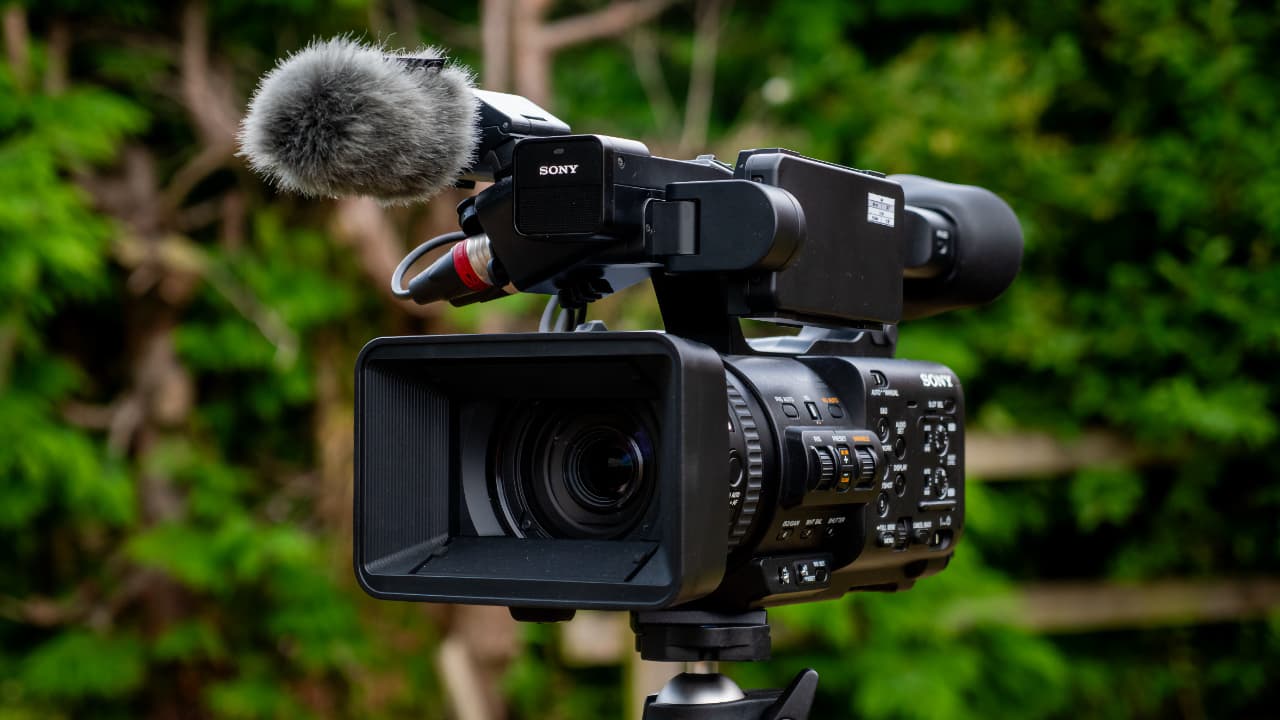
Camcorders are made to be light, small, and affordable. Their bodies are mostly plastic. They are not weather-sealed and cannot handle rough use. Professional video cameras have tough metal or magnesium frames, rubber seals, and shock protection.
Professionals often work in challenging places—outdoors, on sets, or in crowds. A pro camera can survive rain, bumps, and long shoots. A consumer camcorder might not last a year in such conditions.
Battery Life And Power Options
Battery life is important for long shoots. Camcorders have small batteries, usually lasting 1–2 hours per charge. Professional cameras use large batteries or can plug into mains power for all-day use.
Pro cameras also support:
- Hot-swapping (changing battery without shutting down)
- High-capacity battery packs
- External power solutions for studio work
Missing a key shot because your camcorder died is a common beginner mistake.
Customization And Expansion
Camcorders are “what you see is what you get.” You cannot add many accessories or change the way they work. Professional video cameras have mounting points and expansion ports for monitors, wireless transmitters, matte boxes, follow focus units, and more.
This flexibility lets professionals build a camera system that fits each project, from handheld documentaries to studio films.
Price And Value
It’s true that camcorders are much cheaper—often $200 to $1000. Professional video cameras start around $2,000 and can cost over $20,000, not counting lenses and gear. But you get what you pay for.
If you only film family events or vacation clips, a camcorder is enough. For serious work—weddings, documentaries, commercials, or films—a professional camera is an investment that pays off in quality and reliability.
Workflow And Post-production
Professional video cameras are designed with editing and post-production in mind. They offer features like timecode synchronization, log gamma curves for color grading, and metadata support.
Camcorders usually lack these features. This means:
- Harder to match multiple cameras in editing
- Less room for color correction or visual effects
- More time spent fixing problems in post
If you need to deliver broadcast-standard video, camcorders can slow down your workflow.
Common Myths And Beginner Mistakes
Many people think a camcorder is enough because:
- “It shoots Full HD or 4K, just like pro cameras.”
- “It has a big zoom and image stabilization.”
- “Automatic settings mean fewer mistakes.”
But beginners often miss these points:
- Resolution is not everything. Sensor size, bitrate, and lens quality matter more for a cinematic look.
- Audio is just as important as video. Built-in mics are never enough for pro results.
- Editing flexibility is limited with highly compressed formats.
- Upgradability is almost zero with camcorders.
When Does A Camcorder Make Sense?
Despite their limits, camcorders are great for:
- Recording simple family events
- School projects or student films
- News gathering, where speed matters more than quality
- Vlogging, if you need portability and don’t want to edit much
For anything beyond this, you will feel the limitations very quickly.
Real-world Examples
A wedding videographer might use a camcorder for wide shots and a professional camera for close-ups and creative shots. A documentary filmmaker will use pro cameras for interviews and b-roll, relying on their audio and lens options.
Major TV shows, films, and commercials never use consumer camcorders as the main camera. The difference in quality and workflow is just too large.

Frequently Asked Questions
What Is The Main Difference Between A Camcorder And A Professional Video Camera?
The main difference is sensor size and manual control. Professional cameras have larger sensors and let you adjust every setting for creative and technical reasons. Camcorders are designed for quick, easy use but limit your options.
Can I Use A Camcorder For Professional Work?
You can, but you will face limitations in image quality, audio, and editing. For simple projects or as a backup camera, camcorders are fine. For serious work, a professional camera is almost always required.
Why Do Pro Cameras Cost So Much More?
Professional cameras use higher quality parts, larger sensors, and offer more features for sound, lens changes, and workflow. They are also more rugged and reliable. This adds to the price, but delivers better results.
Are Smartphones Better Than Camcorders?
Modern smartphones often have larger sensors, better low-light performance, and advanced software compared to basic camcorders. For casual use, a good smartphone can match or beat a cheap camcorder. However, professional video cameras are still far ahead in every way.
Where Can I Learn More About Professional Video Camera Features?
You can read more at the official Sony Professional Video page: Sony Professional Camcorders.
Video technology is always evolving, but the gap between camcorders and professional cameras remains wide. Choosing the right tool depends on your goals, budget, and the quality you need.
Camcorders offer convenience and affordability, but they are no match for professional video cameras when it comes to image quality, audio, creative control, and expandability. If you want to make videos that stand out, understanding these limitations is the first step toward making the right investment.