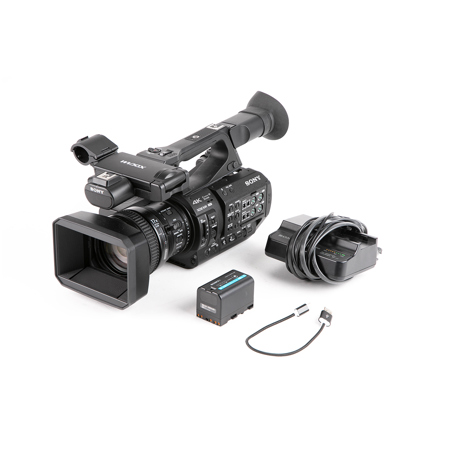
Camcorders have come a long way from the bulky shoulder-mounted models of the past. Today, they are compact, powerful, and able to capture stunning video in almost any situation. But buying a camcorder is only the first step. To really unlock its full potential, you need the right accessories.
The right gear can help you shoot smoother video, capture better sound, keep your equipment safe, and make your filming process easier and more enjoyable. Whether you’re a hobbyist, student, or aspiring filmmaker, understanding which accessories are actually useful will save you time, money, and frustration.
This guide explores the most essential and practical accessories for camcorders. You’ll learn what each accessory does, how it can improve your videos, and what beginners often overlook. Plus, you’ll find helpful comparisons and answers to common questions at the end.
Essential Power Accessories
Nothing stops a shoot faster than a dead battery. Power accessories help you avoid this common problem so you can focus on capturing the perfect shot.
Extra Batteries
Most camcorders come with just one battery. If you film for more than an hour or two, this is not enough. Having extra batteries is one of the smartest investments. For travel and events, two or three spares will keep you going all day.
Battery Charger
A dedicated battery charger lets you recharge batteries outside the camcorder. Some chargers can charge multiple batteries at once, speeding up your workflow. Look for fast chargers to reduce downtime.
Ac Power Adapter
If you shoot indoors for long periods (like recording lectures or events), an AC power adapter lets you plug your camcorder into a wall outlet. This means unlimited shooting time—no battery worries.
Memory And Storage Solutions
High-quality video files are large, so reliable storage is crucial. Losing footage due to a bad card or running out of space can ruin a project.
Sd Cards
Most modern camcorders use SD cards. Choose cards with fast write speeds (at least UHS-I U3 or V30) for 4K or high-bitrate video. Slow cards can cause dropped frames or even recording errors. It’s wise to have several cards, each 64GB or higher.
External Hard Drives
For backing up your footage, external hard drives are essential. Solid State Drives (SSD) offer better speed and durability than traditional hard drives. Store your files in two places to avoid losing precious footage.
Card Reader
A USB card reader helps transfer files faster from SD cards to your computer, especially if your PC’s built-in card slot is slow or unreliable.

Audio Accessories
Great video is useless with poor sound. Built-in microphones are usually low quality, so external audio gear makes a big difference.
External Microphones
There are three main types of external mics for camcorders:
- Shotgun microphones: Focused, capture sound from in front of the camera. Ideal for interviews or run-and-gun shooting.
- Lavalier microphones: Small mics that clip onto clothing, perfect for interviews or presentations.
- Handheld microphones: Best for reporting or capturing audio from multiple directions.
An external mic improves clarity and reduces background noise.
Windscreens And Deadcats
If you record outdoors, windscreens or deadcat covers reduce wind noise. Beginners often ignore this, but wind noise can ruin outdoor audio.
Audio Recorder
Some camcorders can’t connect to high-end microphones directly. An audio recorder (like Zoom H1n or Tascam DR-05X) captures professional sound separately. Syncing audio in editing is easy with free tools.
Stabilization And Support
Shaky footage can be distracting. Stabilizers and supports help create smooth, professional-looking video.
Tripods
A tripod is one of the most important camcorder accessories. It keeps your camera steady for interviews, landscapes, or any shot where movement is unwanted. Look for models with fluid heads for smooth panning and tilting.
Monopods
Monopods are lighter than tripods and faster to set up. They’re useful for events or sports where you need to move often but still want more stability than handheld.
Gimbals
3-axis gimbals use motors to keep your camcorder level and stable, even when you walk or move quickly. They’re perfect for dynamic shots and action sequences, but check compatibility with your camcorder’s size and weight.
Shoulder Rigs
A shoulder rig distributes your camcorder’s weight across your body. It’s ideal for longer shoots and helps reduce fatigue. Shoulder rigs also add mounting points for mics, lights, and monitors.
Lighting Accessories
Good lighting transforms video quality. Even the best camcorders need help in low light.
On-camera Led Lights
LED video lights attach to your camcorder or mount on a tripod. They’re portable, battery-powered, and can be dimmed or adjusted for color temperature.
Light Diffusers
Diffusers soften harsh light, reducing shadows and making your subject look better. Small clip-on or snap-on diffusers are easy to carry and quick to use.
Reflectors
Reflectors bounce existing light onto your subject. They help fill in shadows, especially for interviews or outdoor shoots. Collapsible reflectors are portable and affordable.
Lenses And Filters
Not all camcorders allow interchangeable lenses, but many support add-on lenses and filters.
Wide-angle And Telephoto Lenses
Clip-on or screw-on wide-angle lenses capture more of the scene—great for landscapes or small spaces. Telephoto lenses let you zoom in on distant subjects without losing quality.
Nd Filters
Neutral density (ND) filters cut down the amount of light entering the lens. This allows you to use slower shutter speeds or wider apertures in bright conditions, which is important for cinematic effects.
Uv And Polarizing Filters
UV filters protect your camcorder’s lens from scratches and dust. Polarizing filters reduce reflections and make colors pop, especially when shooting outdoors.
Monitoring And Control
Seeing what you’re recording and controlling settings quickly can improve your results.
External Monitors
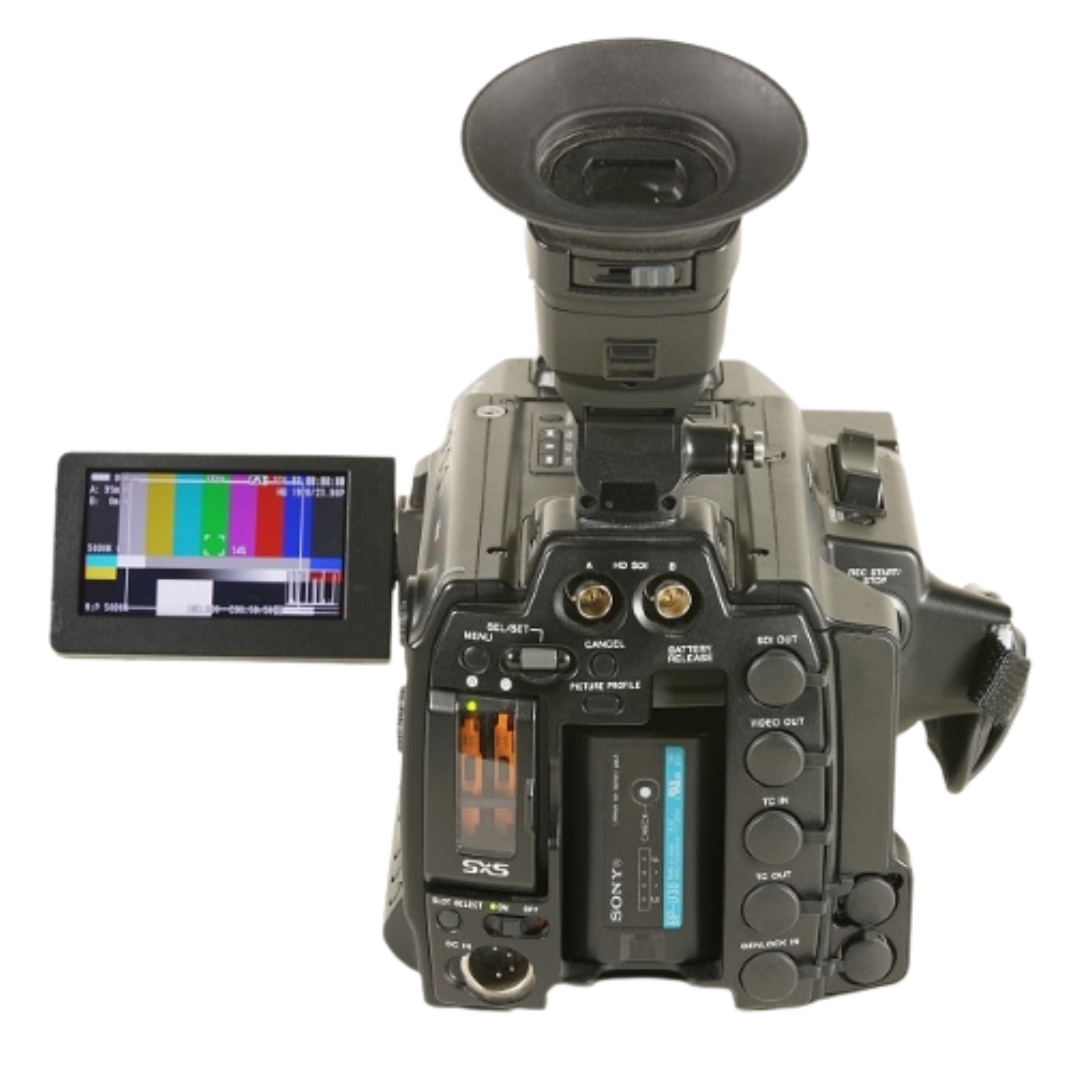
A small external monitor gives you a bigger, clearer view than your camcorder’s built-in screen. This helps with focus, framing, and exposure.
Remote Controls
Wireless remotes let you start and stop recording, zoom, or adjust settings without touching the camcorder. This is useful for self-shooters or when the camera is on a tripod.
Viewfinder Eyecups
Eyecup accessories block stray light and make it easier to see the camcorder’s screen in bright environments.
Protection And Carrying Solutions
Keeping your gear safe is just as important as buying it.
Camera Bags
A good camcorder bag has padded compartments for your camera, lenses, and accessories. Waterproof options protect your gear from rain or spills.
Rain Covers
Rain covers shield your camcorder from water or dust. They’re useful for outdoor shoots, especially in unpredictable weather.
Lens Caps And Body Caps
Lens caps protect your lens from scratches and dust when not in use. Body caps keep the camera’s sensor safe if you remove the lens.
Cleaning Accessories
A dirty lens can ruin your footage. Cleaning gear helps you keep your camcorder in top shape.
Microfiber Cloths
A microfiber cloth is safe for cleaning lenses and screens without leaving scratches or streaks.
Blower And Brush
A small blower removes dust from hard-to-reach places. A soft brush is good for cleaning camera bodies and buttons.
Cleaning Solution
Special lens cleaning solution removes fingerprints and smudges. Never use household cleaners, as they can damage coatings.
Useful Cables And Adapters
As you add accessories, you may need special cables or adapters.
Hdmi And Usb Cables
HDMI cables connect your camcorder to TVs or monitors for playback or live streaming. USB cables are used for data transfer or charging.
Extension Cords
If you use AC adapters or lights, extension cords give you flexibility in where you set up your gear.
Audio Adapters
Some camcorders need audio adapters (like XLR to 3.5mm) to connect professional microphones.
Practical Comparison Tables
Here are two comparison tables to help you choose the right accessories for your camcorder setup.
| Accessory | Purpose | Best For | Beginner-Friendly? |
|---|---|---|---|
| Tripod | Stabilize shots | Interviews, landscapes | Yes |
| Gimbal | Smooth movement | Action, walking shots | No (requires practice) |
| External Microphone | Improve audio | All types of video | Yes |
| LED Video Light | Better lighting | Low-light situations | Yes |
| ND Filter | Control exposure | Outdoor, bright scenes | No (requires understanding exposure) |
Another useful comparison helps you pick the right audio accessory:
| Microphone Type | Best Use | Mounting | Wind Protection Needed? |
|---|---|---|---|
| Shotgun | Interviews, focused sound | On camera or boom | Yes (outdoor use) |
| Lavalier | Speakers, presentations | Clipped to clothing | No (indoors), Yes (outdoors) |
| Handheld | Reporting, events | Hand-held | Sometimes |
Non-obvious Accessories And Tips
Many beginners miss out on a few small but powerful accessories:
- Lens hoods: These block stray light that causes lens flare and reduce contrast in your images. They also add a layer of physical protection.
- White balance cards: Holding a white or gray card in front of the camera before shooting helps you set accurate colors, especially in mixed lighting.
- Camera straps: A comfortable, strong strap prevents drops and makes handheld shooting less tiring. Wrist straps are great for compact models.
One more tip: label your batteries and SD cards with numbers or letters. This helps you keep track of charged and used items during a busy shoot.
Frequently Asked Questions
What Are The Most Important Accessories For A Beginner?
For most beginners, extra batteries, a tripod, a good SD card, and an external microphone make the biggest difference. These solve common problems like running out of power, shaky footage, limited storage, and poor sound.
Do I Need A Gimbal Or Is A Tripod Enough?
A tripod is enough for static shots or slow pans. If you want to move with the camera (walking, following action), a gimbal creates much smoother results. Gimbals require practice, so start with a tripod and add a gimbal as your skills grow.
How Do I Choose The Right Microphone For My Camcorder?
First, check your camcorder’s microphone input (3.5mm or XLR). For talking-head videos, a lavalier is best. For outdoor or directional sound, choose a shotgun mic. For reporting, use a handheld mic. Read your camcorder manual for compatibility.
Is Lighting Really Necessary If I Shoot During The Day?
Even daylight can create harsh shadows or uneven skin tones. A small LED light helps fill in shadows and gives your videos a more professional look. For indoor or evening shoots, lighting is essential.
Where Can I Find More Information About Camcorder Accessories?
For in-depth guides and reviews, visit resources like B&H Photo Video, which explains gear for every skill level.
Choosing the right camcorder accessories can transform your filming experience. Start with the essentials, add specialized gear as your skills grow, and always protect your equipment. With the right tools, you’ll capture better video, avoid common frustrations, and enjoy the creative process even more.