A borescope is a handy tool for inspecting hard-to-reach places. It is used by car mechanics, plumbers, engineers, and even DIY enthusiasts. But when you start shopping for a borescope, you will notice two main types: USB borescopes and wireless borescopes. They sound similar, but they are not the same. Many buyers get confused about which one to choose. Picking the wrong type can waste your time and money. Understanding the difference will help you make the right decision and avoid common mistakes.
This article will guide you through everything you need to know about USB and wireless borescopes. You will see how they work, their advantages and disadvantages, and which type fits your needs best. By the end, you will have a clear idea of which borescope is right for your job.
What Is A Usb Borescope?
A USB borescope is a camera attached to a flexible cable that connects directly to your device using a USB port. Most USB borescopes are plug-and-play, meaning you just plug them into your laptop, desktop, or even a smartphone with the correct adapter. The camera sends live video and images straight to your device.
USB borescopes are popular in many fields:
- Automotive repair: Mechanics check inside engines without taking them apart.
- Home inspection: Plumbers look into pipes for blockages or leaks.
- Electronics: Technicians examine circuit boards for faults.
How Does A Usb Borescope Work?
You connect the camera to your device’s USB port. Some models need you to install software or an app, while others work instantly. The camera is powered by the device, so there is no need for batteries. The live image appears on your device’s screen.
You can take photos or videos for later use.
Key Features Of Usb Borescopes
- Direct connection: Stable and fast transfer of video.
- No battery needed: Power comes from the connected device.
- High compatibility: Most work with Windows, Mac, and sometimes Android (with OTG support).
- Simple setup: Plug in and start using.
What Is A Wireless Borescope?
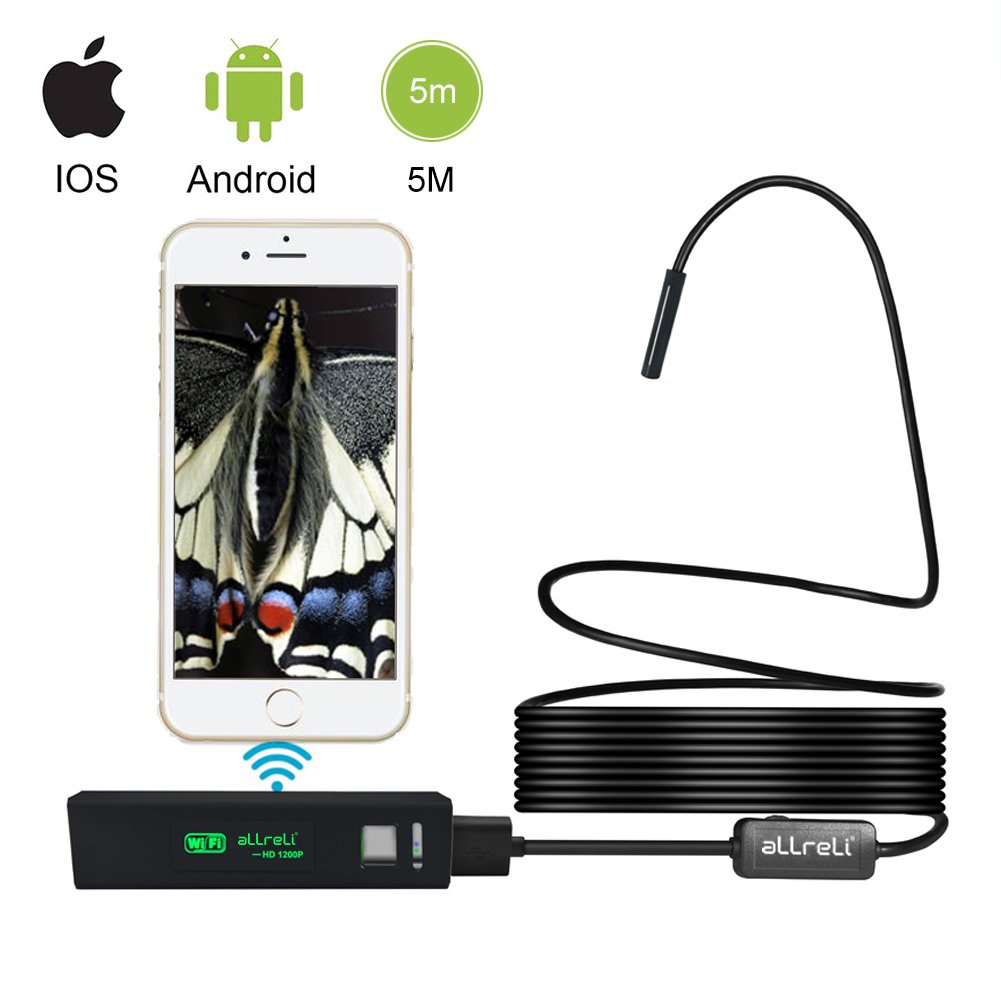
A wireless borescope works differently. Instead of a cable, it has a built-in WiFi transmitter. The camera sends video wirelessly to your smartphone, tablet, or computer. You view the images with a special app, usually available for both iOS and Android.
Wireless borescopes are useful for people who need more freedom of movement or do not want to be attached to a computer. For example:
- HVAC technicians: Inspect air ducts in tight spaces.
- Homeowners: Check behind walls or under floors.
- Outdoor use: Check inside tree holes or pipes far from power outlets.
How Does A Wireless Borescope Work?
The camera has its own WiFi signal. You turn it on, connect your phone or tablet to the borescope’s WiFi, and open the app. The live video streams to your device. Most wireless borescopes have a built-in battery.
Key Features Of Wireless Borescopes
- No wires: Greater flexibility and reach.
- Works with many devices: IOS, Android, tablets, and sometimes computers.
- Rechargeable battery: Can be used anywhere, even without power outlets.
- Portable: Easy to carry and use in the field.

Core Differences Between Usb And Wireless Borescopes
Understanding the main differences will help you decide which type is better for your needs. Here is a direct comparison:
| Feature | USB Borescope | Wireless Borescope |
|---|---|---|
| Connection Type | Wired (USB cable) | Wireless (WiFi signal) |
| Power Source | Device-powered (no battery) | Built-in rechargeable battery |
| Compatible Devices | PC, laptop, some Android devices | Smartphones, tablets, some PCs |
| Portability | Limited by cable length | Highly portable |
| Signal Stability | Very stable | Can experience lag/interference |
| Setup | Plug and play | Requires app and WiFi connection |
| Price Range | Usually cheaper | Usually more expensive |
Pros And Cons Of Usb Borescopes
Knowing the strengths and weaknesses of USB borescopes will help you decide if they fit your situation.
Advantages
- Stable Connection: The wired link gives a steady, reliable video stream with little delay.
- No Charging Needed: You don’t have to worry about batteries running out in the middle of the job.
- Lower Cost: USB borescopes are often cheaper than wireless models.
- No WiFi Interference: Great for areas with lots of wireless signals or metal structures.
Disadvantages
- Limited Movement: You are tied to your computer or device by the cable length.
- Compatibility Issues: Not all smartphones or tablets support USB borescopes, especially iPhones.
- Less Portable: Not ideal for outdoor or large-area inspections.
Non-obvious insight: Some buyers don’t realize that USB borescopes usually don’t work with iPhones at all because iOS devices block external USB cameras unless they use special adapters and apps. If you use Apple products, this is a critical detail.

Pros And Cons Of Wireless Borescopes
Wireless borescopes are more flexible, but they also have some drawbacks.
Advantages
- Freedom of Movement: Inspect areas far from your device, even around corners or in tight spots.
- Works with Most Phones: Compatible with both Android and iOS, making them more universal.
- Ideal for Fieldwork: No need to bring a computer or find a power outlet.
- Multiple Viewers: Some apps allow more than one person to view the inspection on different devices.
Disadvantages
- Battery Life: You need to remember to charge the device before use. Inspections can be cut short if the battery dies.
- Possible Signal Issues: WiFi signals can face interference, especially in industrial or metal-heavy environments.
- Slight Delay: Wireless transfer can mean a small delay in video compared to USB models.
Non-obvious insight: Not all wireless borescopes support recording directly on your phone. Some only stream video, so you cannot save images or videos unless the app supports it. Always check app features before buying.
Image Quality And Resolution
Both USB and wireless borescopes come with a range of camera resolutions. Most common options are 720p, 1080p, and sometimes 2MP or 5MP cameras. But the connection type can affect the real image quality you experience.
- USB borescopes: Usually deliver full resolution without compression.
- Wireless borescopes: Sometimes lower image quality to reduce lag, especially if the WiFi signal is weak.
Here’s a quick comparison:
| Resolution | USB Borescope | Wireless Borescope |
|---|---|---|
| 720p | Stable, sharp image | Good, but may drop frames |
| 1080p | High quality, smooth | High quality, possible lag |
| 2MP+ | Full detail, no compression | May compress image over WiFi |
Battery And Power Considerations
USB borescopes rely on your device’s power. This is good for long inspections, but it does drain your laptop or phone battery. Wireless borescopes have a built-in battery, usually lasting 1.5 to 3 hours per charge. If you do long inspections, bring a portable power bank or choose a USB model.
Tip: Some wireless borescopes let you swap batteries. This feature is rare but useful for professionals who do many inspections in one day.
App And Software Support
Your experience depends a lot on the app or software you use. USB borescopes often use simple PC software, while wireless borescopes need a specific mobile app.
- USB: Software is usually basic but reliable.
- Wireless: App features can vary greatly. Some offer image enhancement, recording, and sharing; others are limited.
- Compatibility: Always check if the borescope app is updated and works with your device’s operating system.
Practical example: A popular wireless borescope may have great hardware, but if the app is buggy or not updated for newer iOS/Android versions, you may not be able to use it at all.
Usage Scenarios: Which One Should You Choose?
The best borescope for you depends on your situation:
- For workshops or home garages: USB borescopes are great. You have your computer nearby, and you need long, stable inspections.
- For outdoor or mobile work: Wireless borescopes win. You can move freely and use your phone or tablet.
- For teaching or group inspections: Wireless models are helpful because more people can watch at once.
- For iPhone/iPad users: Go wireless. USB options are very limited.
- For tight budgets: USB borescopes are usually more affordable.
Price And Value
Generally, USB borescopes cost between $20 and $50 for consumer models. Wireless borescopes range from $35 up to $100 or more, depending on features like resolution, length, and battery life.
Insight: Sometimes, you pay more for a wireless borescope, but the extra features (portability, device compatibility) make the price worth it if you need them. But if you always inspect in the same place, a USB borescope gives better value.
Durability And Build Quality
Both types come in similar build styles: flexible cables, waterproof cameras, and adjustable LED lights. Check the IP rating (like IP67) for water and dust resistance. Wireless models are sometimes more compact, but also easier to drop if you use your phone as a screen.
Tip: Higher price does not always mean stronger cables or better waterproofing. Read reviews and check for real-world test videos before buying.
Common Mistakes When Choosing A Borescope
- Ignoring device compatibility: Many buyers buy USB borescopes and later find out their phone or tablet does not support them.
- Forgetting about battery life: Wireless models can stop working in the middle of a job if not charged.
- Overpaying for features you don’t need: Some high-end wireless borescopes offer features (like 10m cable or HD recording) you may never use.
- Not checking app quality: A bad app can make even a great camera useless.
- Assuming all borescopes are waterproof: Always look for the IP rating.
Real-world Example
A car mechanic inspects engines every day. He chooses a USB borescope because he always has a laptop in the workshop, and he needs a stable, long video stream. A home inspector, on the other hand, moves from house to house. She picks a wireless borescope for its portability and because it works with her iPhone. Both get the best tool for their needs.
When To Choose Each Type
Choose a USB borescope if:
- You want the best price.
- You always work near a computer.
- You need a stable, lag-free video.
Choose a wireless borescope if:
- You use a phone or tablet (especially iPhone).
- You need portability.
- You want to inspect in places without power outlets.
For more details on borescope technology and usage, you can visit Wikipedia.
Frequently Asked Questions
What Is The Main Advantage Of A Wireless Borescope?
The main advantage is freedom of movement. You can use your phone or tablet to see the camera image without being tied to a computer. This is helpful in tight spaces or when you need to move around a lot.
Can A Usb Borescope Work With An Iphone Or Ipad?
Usually, no. Most iPhones and iPads do not allow direct USB camera connections. There are a few special adapters and apps, but they are not common and often unreliable.
How Long Does The Battery Last On A Wireless Borescope?
Most wireless borescopes last 1.5 to 3 hours per charge. Some professional models may offer longer battery life or swappable batteries.
Is Image Quality Better On Usb Or Wireless Borescopes?
USB borescopes often have better real-time image quality because the wired connection transfers data faster and more reliably. Wireless models can experience compression or lag, depending on the WiFi signal.
Are All Borescopes Waterproof?
Not all are waterproof. Always check for an IP rating (like IP67) before buying if you need to inspect wet or underwater areas.
Choosing between a USB and wireless borescope comes down to your needs, devices, and the places you work. By understanding these differences, you can avoid mistakes and pick the right tool for the job.